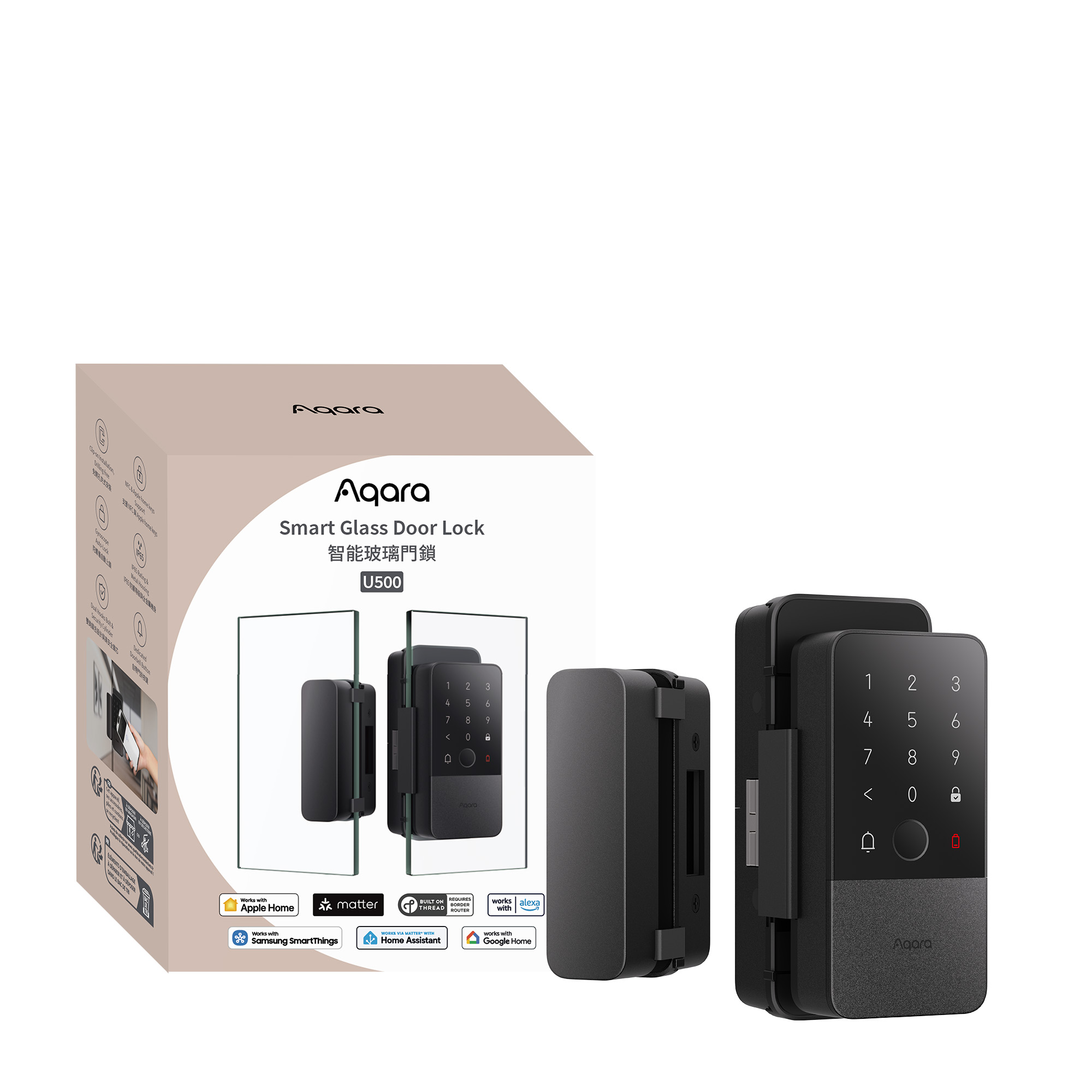
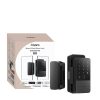
Aqara Smart Glass Door Lock U500
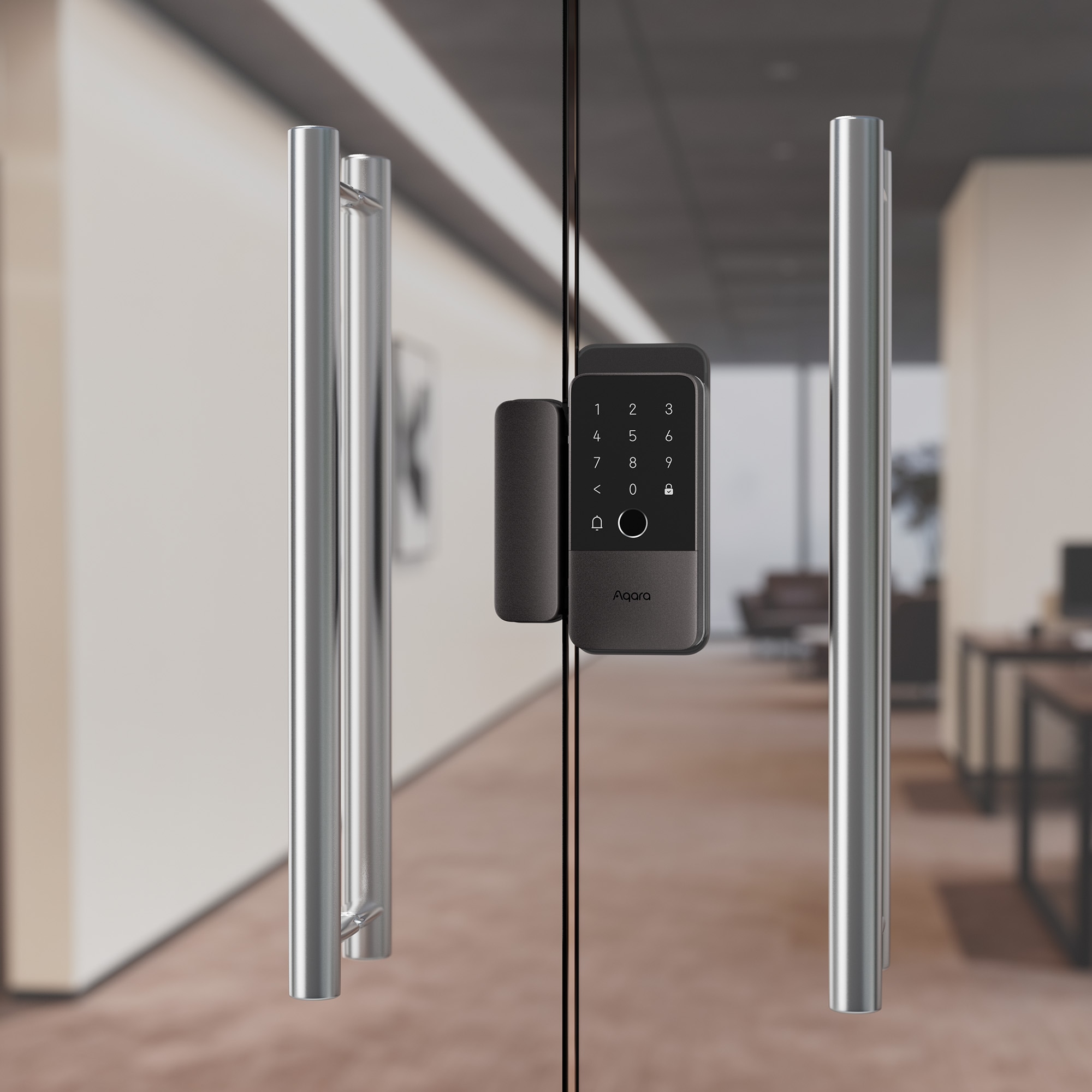
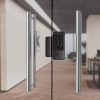
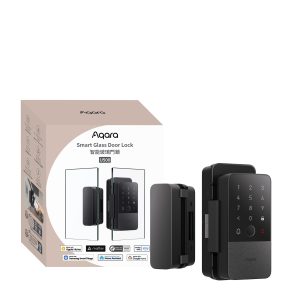
Secure your frameless glass door with Aqara Smart Glass Door Lock U500. Drill-free smart lock with Apple Home Key, Matter over Thread, fingerprint unlock, and IP65 weather resistance.
Compatibility
Aqara Smart Glass Door Lock U500 is compatible with the following systems:


Accessories
In stock (can be backordered)
£299.99 inc. VAT
Description
Aqara Smart Glass Door Lock U500
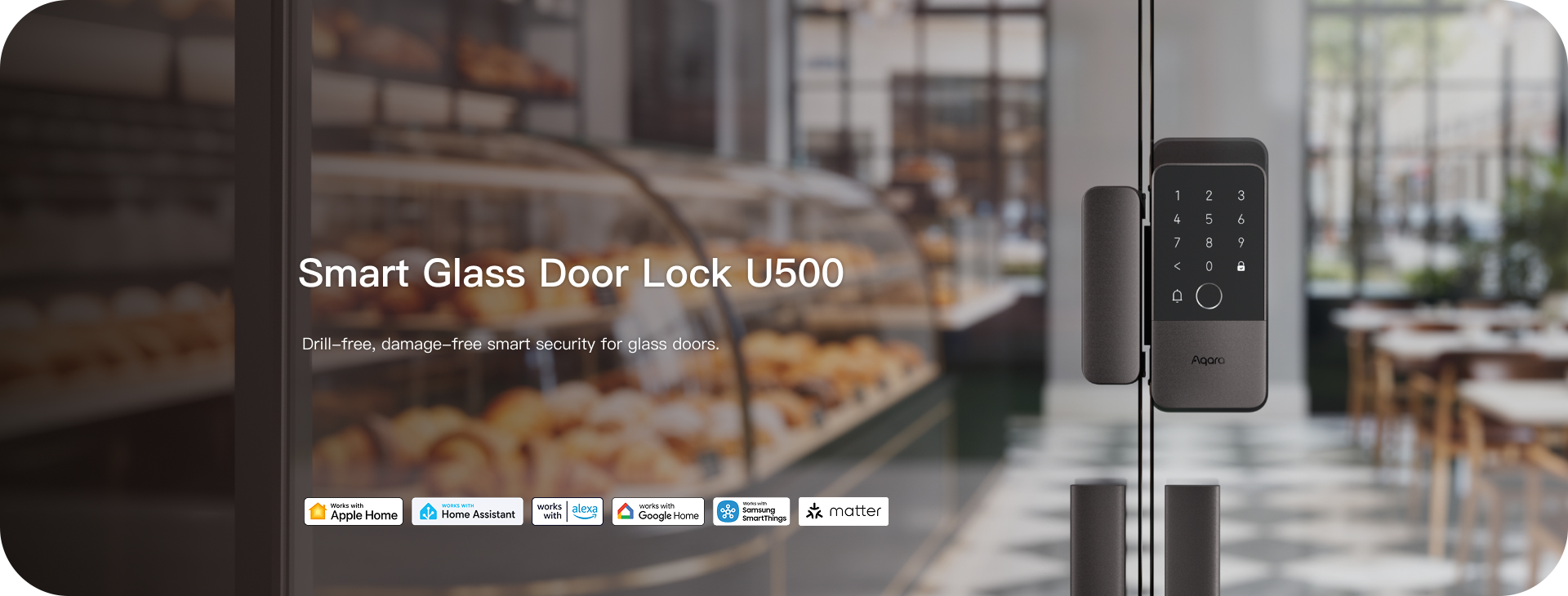
Drill-free, damage-free smart security for glass doors
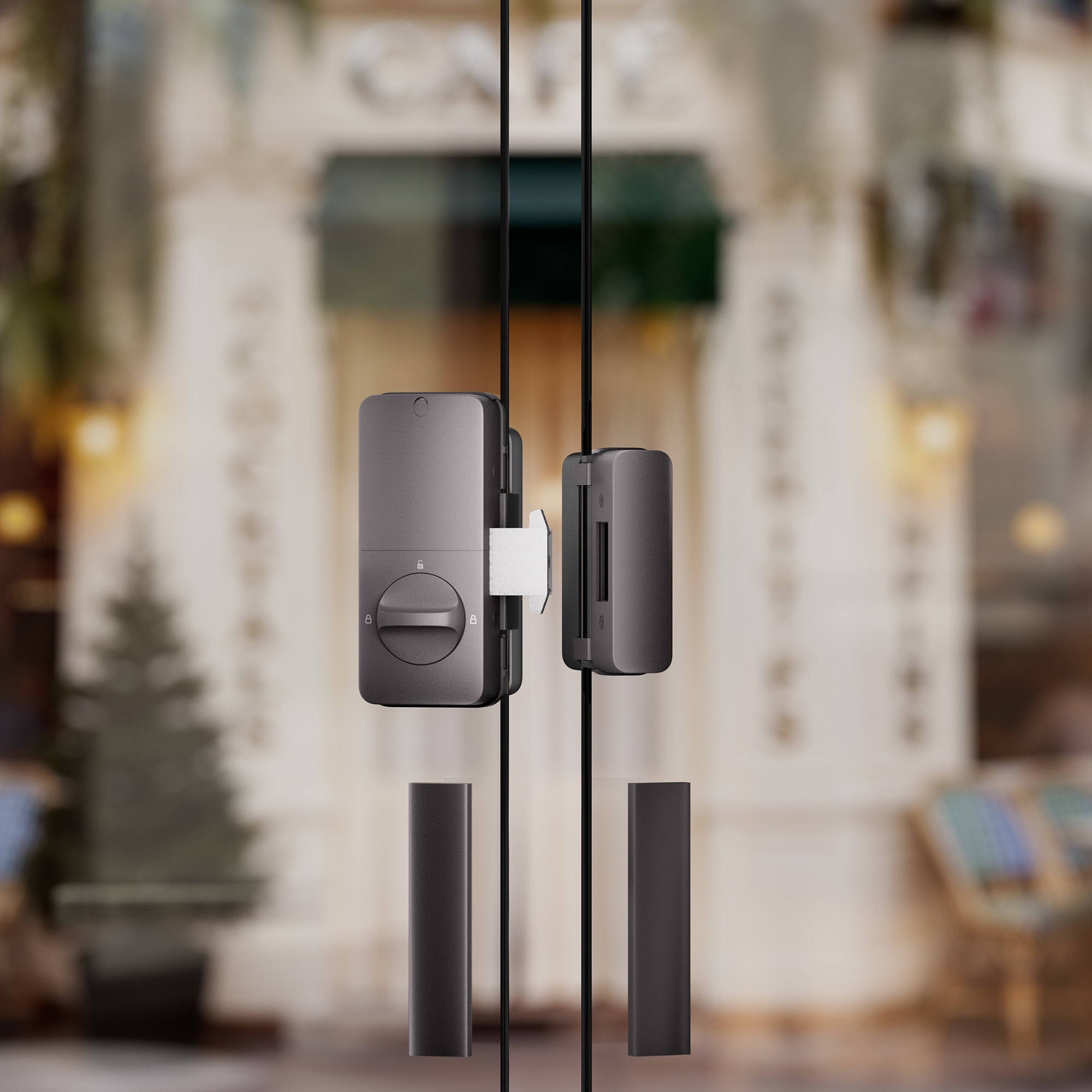
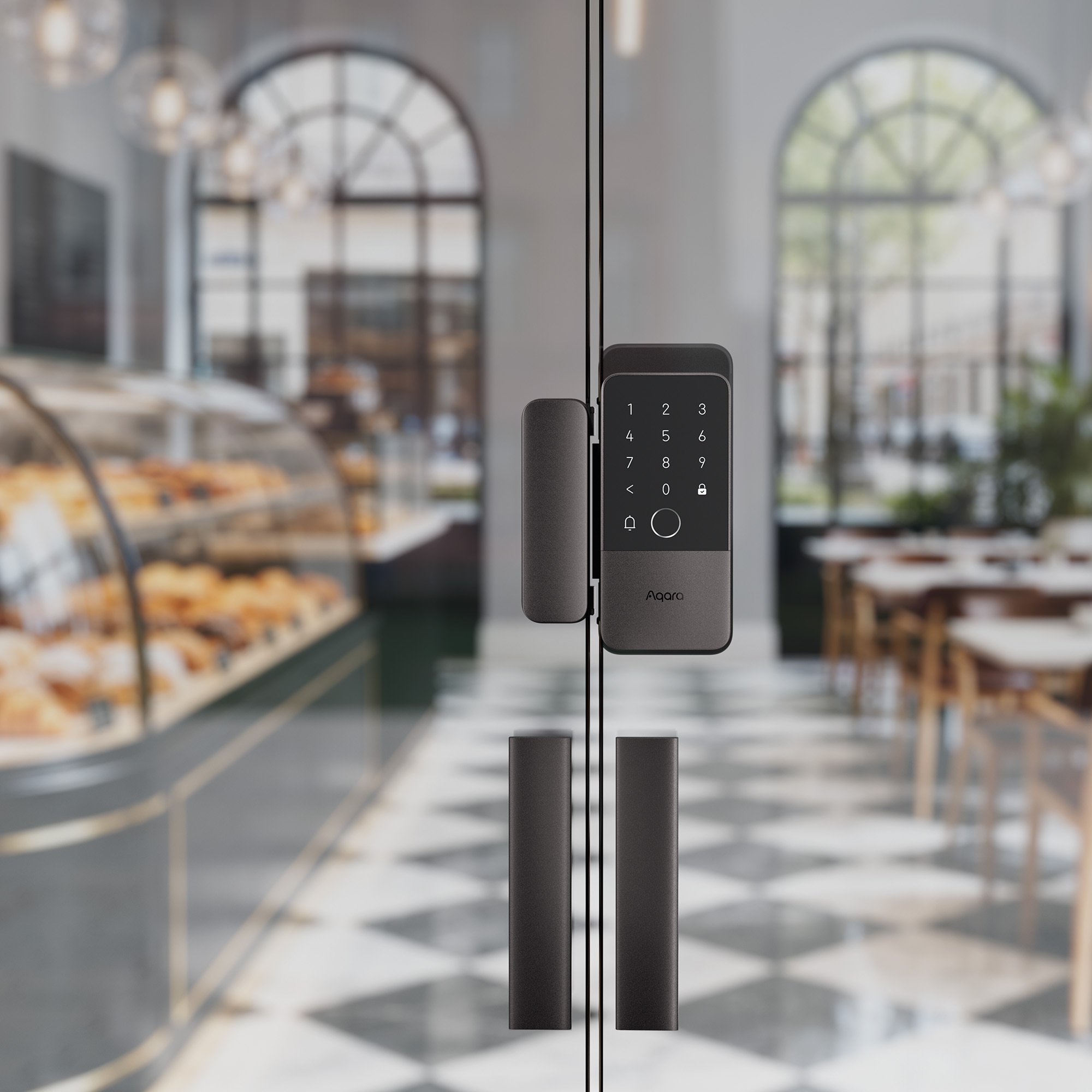
Experience smarter, safer living with the Smart Glass Door Lock U500 — designed for frameless glass doors. Its clamp-on design installs easily with no drilling or damage, delivering seamless security with zero hassle. Unlock with Apple Home Key using your iPhone or Apple Watch, while multiple access options provide extra peace of mind. Powered by Matter over Thread, it works with Apple, Google, Alexa, and SmartThings for a future-ready smart home. Built with durable all-metal construction, IP65 weather resistance, and reliable performance from -35°C to +66°C, the U500 is ready for any environment. With long battery life and Aqara Home automations, it makes everyday access smarter and more convenient.
Aqara Smart Glass Door Lock U500 Features:
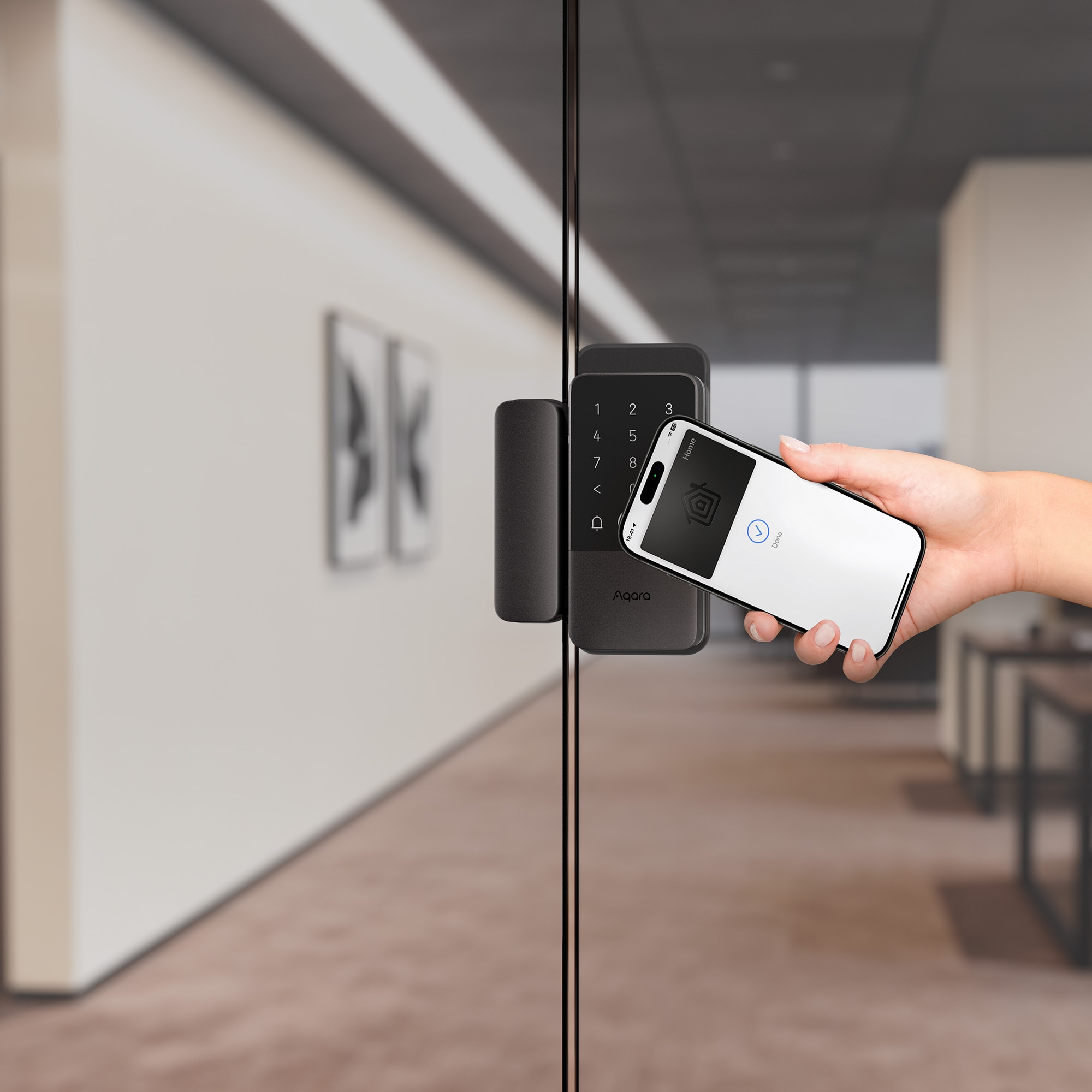
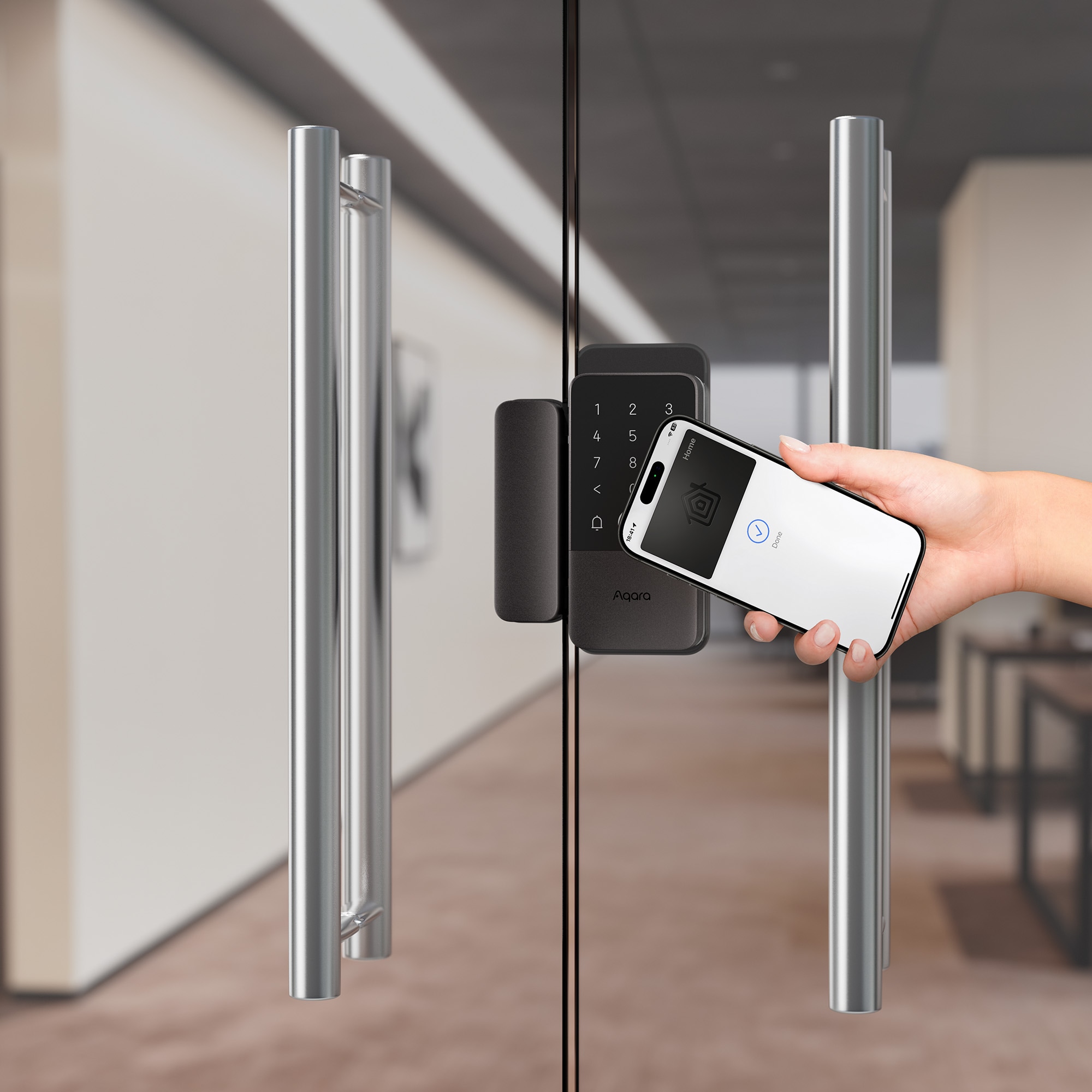
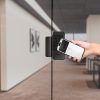
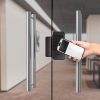
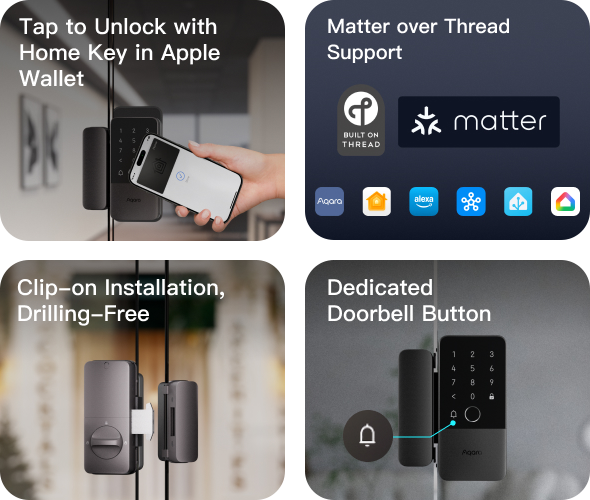
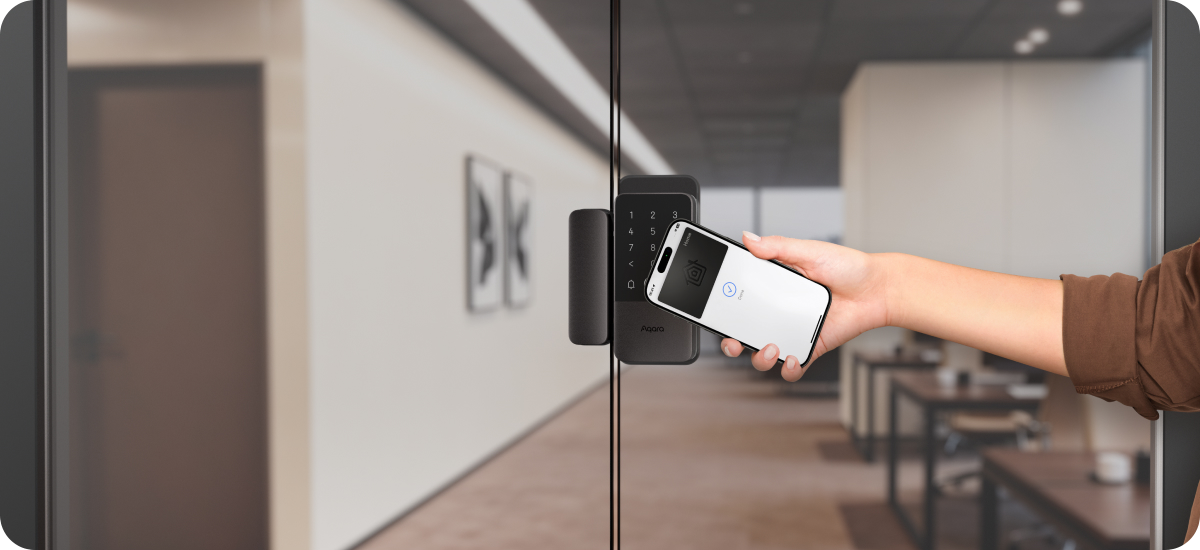
- Tap to Unlock with Home Key in Apple Wallet①:Enjoy a seamless and secure unlocking experience with Apple Home Keys. Simply add your key to Apple Wallet and unlock your door with a tap using your iPhone or Apple Watch. Share access remotely via the Apple Home app with flexible permissions, no extra apps needed. Even without Wi-Fi, mobile data, or when your phone is out of battery, you can still unlock your door—ensuring convenience and reliability at all times.
- Cross-Platform Compatibility with Matter over Thread②:Powered by Matter over Thread and the latest Aliro standard, this smart lock delivers seamless compatibility across major ecosystems including Apple Home, Google Home, Amazon Alexa, and SmartThings. It works effortlessly in multi-platform households, ensuring true future-proof flexibility. Thread technology enables low power consumption for longer battery life, while its self-healing mesh network ensures stable, secure, and reliable performance without relying on an Aqara hub.
- Advanced Fingerprint Reader③:With a 160×160 high-resolution sensor, this fingerprint system delivers reliable unlocking even for older users or wet/dry fingers. The false acceptance rate (FAR) is below 0.001% (1/100,000), virtually eliminating unauthorized access. All fingerprint data is stored locally and encrypted with AES—never sent to the cloud. The lock stores up to 50 prints, enough for family and guest
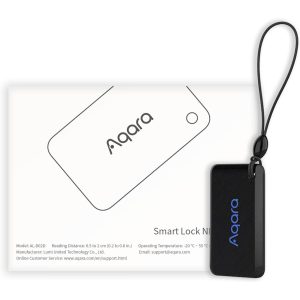
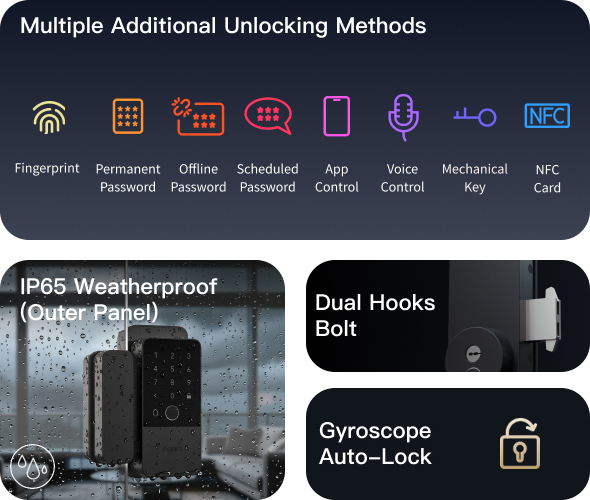
- Additional Unlocking Method:Enjoy flexible and secure access with multiple unlocking methods. The lock supports keypad entry with anti-peep protection, permanent and temporary passwords, including offline one-time and scheduled codes for guests. You can also unlock remotely via app④, use voice commands④ with Siri or Alexa, or access with NFC cards. A physical key backup ensures reliability in emergencies, so you can always enter your home with confidence.
- Thoughtful Hardware Upgrades for Long-Term Reliability:Built for maximum durability and security, the U500 features a full-metal construction, reinforced dual-hook bolts, and a robust cylinder to resist prying and forced entry. With IP65-rated outer panel and IP54-rated inner panel weatherproofing, it performs reliably in rain, dust, and harsh outdoor conditions. A built-in doorbell adds everyday convenience, while the long-lasting battery and emergency charging ensure your lock is always ready to protect your home entrance.
- Reliable Power, Zero Battery Anxiety:Enjoy up to 7 months of reliable battery life powered by 4 AA batteries, with easy replacement for continuous use. The lock provides a battery warning when the battery level drops to “Low”, giving you ample time to recharge or replace batteries before power runs out. In emergencies, the USB-C port allows instant backup power from a power bank or compatible device, ensuring your lock remains operational and your home stays secure at all times.
- Personalise Your Smart Living with Aqara Home:Personalise your smart living with the Aqara Home app, unlocking advanced modes, automation, and seamless integration with other Aqara devices. The U500 features gyroscope-based auto-lock, automatically securing the door when closed, controllable via app or action button. Do Not Disturb mode minimises alerts for quieter operation, while One Tap Dual Unlock enables pairing with other Aqara locks to open multiple doors at once, delivering greater convenience and efficiency.
① To use this functionality, a Thread-enabled Apple home hub, or a Thread-enabled iPhone is required.
② To use the device with a particular Matter ecosystem, a Matter Controller of this ecosystem and a Thread Border Router are required.
③ The access data is stored locally and is fully encrypted using the AES algorithm.
④ To use the device with a particular Matter ecosystem, a Thread-enabled Matter Controller of this ecosystem is required.
Convenient Unlocking with Apple Home Keys
Simply add your home key to Apple Wallet and unlock your door with a single tap using your iPhone or Apple Watch.


Matter over Thread
Powered by Matter over Thread and the new Aliro standard, The U500 ensures secure and seamless access across major ecosystems including Apple Home, Home Assistant Amazon Alexa, google Home and Samsung SmartThings.
*To use the device with a particular Matter ecosystem, a Matter controller of that ecosystem and a Thread Border Router are required.


Ultra-Responsive Biometric Accuracy
Equipped with a high-resolution 160 x 160 pixel sensor, this lock identifies your fingerprints instantly and accurately. It also stores up to 50 unique prints so your family and friends can come and go with a singe touch.
*The access data is stored locally and is fully encrypted using the AES algorithm.
Additional Unlocking Options for Enhanced Flexibility


Sturdy hardware for Long-Term Reliability


IP65 Weatherproof (Outer Panel)
Engineered to withstand dust, splashes and heavy rain, the U500 lock delivers reliable performance even in demanding outdoor environments.


Built out of Solid Metal with Dual-Hook Latches
Forget flimsy plastic. With a full metal frame, reinforced dual-hook bolts and a genuine through-lock cylinder, this system is built to withstand prying and forced entry for long-term peace of mind.


Dedicated Doorbell Button
The smart lock comes with a dedicated bell button no need to buy a separate wireless doorbell.


Up to 7 Months Battery Life
Aqara Smart Glass Door Lock U500's 4 AA batteries last up to 7 months and are easily replaceable.
Low Battery Warning
When the battery level drops to Low, you'll receive a low battery notification, giving you plenty of time to recharge before running into any issues.
Emergency Charging
In case you forget to recharge, it features a USB-C charging port, allowing you to power up with a power bank or a phone that supports USB-C to USB-C power supply.
Gyroscope Auto-Lock
Unlock your door directly from your phone after live-viewing your doorway.
Do Not Disturb Mode
Mute all general alerts during the set time, while still notifying for forced entry, door left ajar, or other critical events.
Night Latch Mode
Only the admin can unlock the door, preventing exterior keyless entry while allowing free exit from inside, perfect for a secure night's sleep.
Create Automations to Make Your Home Smarter

Enhanced Security with Aqara Doorbell
The Smart Glass Door Lock U500 integrates with the Aqara Doorbell Camera Hub G410 allowing you to see who is at the door and unlock directly from the Apple Home app.

Open the Door, Activate Your Home
You can set up 'When, if then' rules to trigger intelligent interactions based on real-time actions, for example, setting the lights to turn on automatically when the door opens.
Built-in Cylinder, One-Step Installion
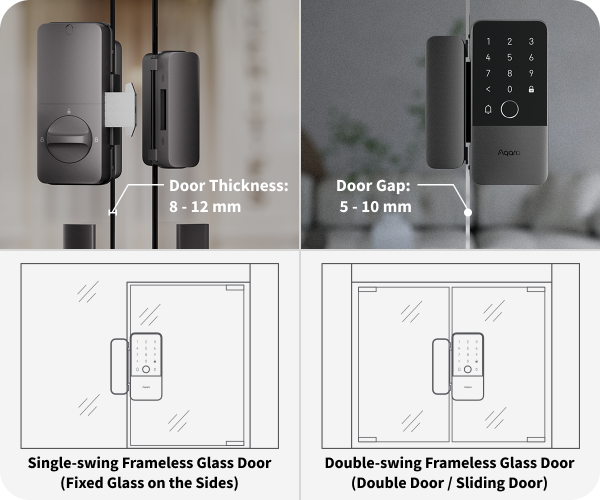
Compatible with Single-swing and Double-swing Frameless Glass Doors
- Door Thickness: 8 - 12mm
- Door Gap: 5 - 10mm
*Requires PH1 screwdriver for installation. This lock requires the glass panels on both sides to be flush; otherwise installation will not be possible.
Examples of Automations
- Smart Entry Welcome Mode
WHEN the door is unlocked; IF It is after 6pm, THEN Turn on hallway / entry lights and deactivate away mode
As soon as you arrive home and unlock the door, the system automatically lights up the entrance, creating a safe and welcoming environment without manual control.
(Smart Glass Door Lock U500 + Ceiling Light T1M + Aqara Hub)
- Open the door through one click
When someone rings your doorbell, you instantly see who’s at the door and can grant access remotely. Whether you’re at home or away, this ensures fast, secure, and convenient entry management.
(Smart Glass Door Lock U500 + Doorbell Camera Hub G410 Select)
- Away mode security guard
IF everyone leaves home and the U500 is locked, THEN the security cameras switch to armed mode and send real-time status updates to your phone
When no one is at home, the system automatically activates security mode. Cameras enter monitoring status, and any unusual activity triggers an alarm and instant notifications.
Frequently Asked Questions
Where do I find resources to help me with installing the door lock?
1) Download the Aqara Home app, go to the Smart Glass Door Lock U500 page, and follow the instructions to complete installation. 2) Scan the QR code for the installation video on the user manual. 3) Scan the QR code for detailed installation instructions on the back of the color packaging box. 3) Scan the QR code for detailed installation instructions on the electronic user manual. 4) Visit the Aqara official website and go to the Smart Glass Door Lock U500 product support page for additional installation information.
What should I do if the door lock does not operate smoothly after installation?
1) Open the battery cover and remove the battery. 2) Rotate the dial to check locking and unlocking. Ensure the bolt fully extends into the bolt box and retracts smoothly. If it feels obstructed, remove the back cover of the bolt box and adjust the installation position of the bolt box. 3) Rotate the dial again to check if locking and unlocking are smooth. If resistance is still felt, unscrew the side mounting screws on the rear lock and remove the rear lock. 4) Check for interference between the connector wire and the tailpiece, excessive friction may affect door lock function and reduce battery life. 5) Push the excess connector wire into the door cavity to ensure it does not interfere with tailpiece rotation. 6) If the problem persists, verify that the door cavity dimensions meet requirements and that the door frame is flush with the door. Ensure the installation environment meets the door lock’s requirements. 7) If unlocking still cannot be achieved, contact our customer service center.
What types of doors are suitable for the lock?
The Aqara Smart Glass Door Lock U500 is designed for installation on frameless glass doors with thickness between 8 mm and 12 mm. For more information, visit the official Smart Glass Door Lock U500 product page.
Is the lock limited to a specific door opening direction?
There are no restrictions. The lock supports all door opening directions, including left/right swing and inward/outward opening. Install the rear lock upright for right-hand opening and upside-down for left-hand opening.
Can I replace the lock cylinder by myself?
No. The lock cylinder is fixed inside the door lock, and any self-disassembly of the lock will be considered as your agreement to forfeit Aqara’s repair service.
Is this a Wi-Fi smart lock?
No. The lock supports the Thread protocol, which is more stable than Wi-Fi and offers longer battery life.
What should I do if there is an issue with the door lock’s locking process?
1) In the Aqara Home app, go to the Smart Glass Door Lock U500 page, then navigate to 「Settings > Installation and Calibration」select “Door Lock Calibration” and follow the instructions to recalibrate the lock. Alternatively, remove the battery cover, press the setup button to enter the local lock settings, verify administrator credentials, press “5” to enter door lock calibration, and follow the voice prompts to complete recalibration. 2) Recheck if the door lock is properly installed. 3) If the issue persists, contact our customer service center.
Which wireless connectivity protocols does the lock use?
The lock uses Bluetooth 5.3, Thread (Matter 1.4), and NFC.
Which certifications and tests has the lock passed?
1) CE certification 2) MFi certification 3) Matter certification 4) Aliro certification 5) Thread certification 6) IP65 certification 7) RCM certification And more.
What is the waterproof rating of the lock?
The outer panel (keyboard) of the lock has an IP65 waterproof rating, and the inner panel has an IP54 waterproof rating.
What are the operating temperature and humidity ranges for the lock?
Operating temperature: Outer panel: -35°C ~ +66°C Inner panel: -18°C ~ +50°C Operating humidity: 0 ~ 93% RH, non-condensing. Temperatures or humidity outside the operating range may affect normal operation of the door lock.
What materials is the lock made of?
The touch panel uses frosted PMMA material, offering excellent transparency. Both outer and inner panels and the dial are made of an aluminum alloy, with a surface coating that provides higher hardness and effectively resists scratches and residue, delivering a premium feel.
How do I use my smartphone to control the lock remotely?
Aqara Home users: Bind the lock to a Thread-enabled Aqara Matter controller (for example, Hub M3) to use remote features. Third-party Matter ecosystem users: A Thread-enabled Matter controller from your required ecosystem is needed for remote control.
How do I connect the lock to the Matter ecosystem?
To connect this Matter over Thread device, you need a Thread-capable Matter controller from your ecosystem of choice. First-time Matter ecosystem pairing: 1. Remove the battery cover on the inner panel. 2. Press the setup button once to enter door lock pairing mode, then scan the Matter setup QR code on the inner panel in a third-party app to add your door lock.
Note: 1. To connect a Matter over Thread device, you need a Thread-capable Matter controller from your ecosystem of choice. Supported devices can be found on our official website: https://www.aqara.com/us/explore/everything-matter/ 2. Before connecting this Matter device to your smart home, ensure IPv6 is enabled on your local wireless network. IPv6 is required for Matter ecosystem connectivity. 3. Ensure your phone and Thread border router are connected to the same Wi-Fi network. 4. Bluetooth must be enabled during pairing. 5. We recommend keeping the distance between your door lock and the Thread-capable Matter controller within 5 meters. If there are obstacles such as walls, keep the distance within 3 meters.
Additional Matter ecosystem pairing: 1. After connecting to a third-party Matter ecosystem or adding an Aqara Matter controller in the Aqara Home App, the Matter setup code on the door lock’s inner panel will become invalid. 2. To pair with another ecosystem, generate a new pairing code in the already-paired app. 3. Press the setup button once to enter door lock pairing mode, then use the generated Matter setup code to add the device.
Which Aqara Thread-enabled Matter controllers are able to pair with the lock?
As of December 2025 Supported Aqara Thread-enabled Matter controllers: 1) Aqara Hub M3 2) Aqara Hub M100 3) Aqara Hub M200 4) Aqara Doorbell Camera Hub G410 5) Camera Hub G5 Pro Supported third-party Thread-enabled Matter controllers: Visit the following website for the complete list: https://www.aqara.com/en/explore/everything-matter/ More devices will be supported in the future
Is a Matter hub required to use this product?
The lock can still function within the Aqara Home app without a Hub for features such as adding fingerprints, setting timed users, and using gyroscope-based auto-locking. You can add the lock to the Aqara Home app by scanning the Aqara pairing code on the lock via Bluetooth. Note: Most features must be configured locally via direct Bluetooth connection, while single-use passwords can be generated remotely. However, to access the full feature set, such as remote control and automations, a Thread-enabled Matter controller from your ecosystem of choice is required.
Can this product connect directly to HomeKit or other Matter-compatible ecosystems?
Yes, you can directly scan the Matter pairing code on the door lock to connect the Aqara Smart Glass Door Lock U500 to a third-party Matter ecosystem without connecting to the Aqara Home app. To connect the Aqara Smart Glass Door Lock U500, you will need a Thread-enabled Matter controller from your preferred ecosystem. For example, if you want to connect this lock to the Apple Home app, you will need a Thread-enabled home hub, such as an Apple TV 4K with the latest software, HomePod (2nd generation), or HomePod mini. Note: Unique Aqara Home features such as Night Latch Mode, auto-lock settings, and others will not be available.
Can I use an Aqara Thread-enabled Matter controller to connect the door lock to other ecosystems and use their features?
No. An Aqara Thread-enabled Matter controller is not sufficient to fully utilize the lock across multiple ecosystems. An Aqara Thread-enabled Matter controller allows you to use remote features and generate Matter pairing codes within the Aqara Home app. However, to bind the lock to a third-party ecosystem and use ecosystem-specific features (such as remote control, Automation, or voice control), you must have a Thread-enabled Matter controller that supports that ecosystem.
What if there is no response or binding failure occurs when adding the door lock to a third-party ecosystem using the Matter pairing code on the lock?
Binding instructions: Step 1: Press the setup button once to ensure the lock is in pairing mode, then scan the setup code to add the lock to the corresponding ecosystem. Step 2: If binding fails, turn off and then on your phone’s Bluetooth and Wi-Fi, then retry the binding process. Note: 1. The Matter pairing code on the lock is only valid for the first-time third-party ecosystem binding. Once the lock is connected to any ecosystem or bound to an Aqara Matter controller in the Aqara Home app, the pairing code becomes invalid. 2. To connect this Matter over Thread device, you need a Thread-enabled Matter controller from your required ecosystem. 3. Before connecting this Matter device to your smart home, ensure your local wireless network has IPv6 enabled. 4. Ensure your phone and Thread border router are connected to the same Wi-Fi network. 5. Bluetooth must be turned on during the binding process. 6. We recommend keeping the distance between the lock and the Thread-enabled Matter controller within 5 meters. If there are obstacles such as walls, keep the distance within 3 meters. If the issue persists, follow these steps: Method 1: Generate a new Matter pairing code If your lock is already added to the Aqara Home app and associated with an Aqara Matter controller, or already connected to a third-party Matter ecosystem, generate a new Matter pairing code within the ecosystem currently bound to the lock. Then, use this new code to rebind your lock. Example: In the Aqara Home app, if your lock is connected to an Aqara Matter controller: 1. Navigate to the lock settings page. 2. Select the third-party Matter ecosystem. 3. Press Generate New Matter Pairing Code. 4. In the third-party app, scan the newly generated Matter pairing code or manually enter it to complete the binding process. 5. Before scanning or entering the code, press the setup button once to ensure the lock is in pairing mode. Method 2: Clear all existing Matter data and rebind If the QR code still cannot be recognized: 1. Press the setup button once to enter lock setup mode. 2. Press 4 to clear all Matter data. Note: Clearing Matter data will disconnect the lock from the Hub and delete related data in all connected Matter ecosystems. 3. Reset and re-pair your Thread-enabled Matter controller first, then scan the Matter pairing code on the lock to rebind the lock.
What if there is no response or binding failure when adding the lock by scanning the Aqara pairing code?
Press the setup button once to ensure the lock is in pairing mode, then scan the setup code to add the lock to the corresponding ecosystem. Note: 1. Ensure your device has Bluetooth and network enabled. 2. If the issue persists, press and hold the lock reset button for 5 seconds to reset the lock, then retry.
What should I do if the lock goes offline?
If the lock is not connected to a Hub, it will appear offline once the Bluetooth connection is lost. If the lock is connected to a Hub but still appears offline, try the following steps: Reboot devices: 1. Unplug the Hub’s power, wait a few seconds, then plug it back in to restart the Hub. 2. Remove the door lock’s batteries, wait a few seconds, then reinsert them to restart the door lock. Update to the latest software: Check whether both the door lock and the Hub are running the latest software version.
After pairing with an Aqara Matter controller, why isn't the door status displayed?
The current version of the lock only supports displaying door status when connected via Bluetooth.
How many unlocking methods does the lock support?
The lock supports eight unlock methods: 1) Fingerprint 2) Password (regular, single-use, timed) 3) NFC (Apple Home Key) 4) Automation 5) Voice control (Siri / Alexa) 6) Remote 7) Bluetooth 8) Mechanical key *Supported features may vary depending on the connected ecosystem. *Aqara Home app supports Bluetooth short-range unlocking. *Aqara Home app, HomeKit, Google Home, Amazon Alexa, Samsung SmartThings and Home Assistant support remote unlocking, provided that a Thread-enabled Matter controller for the respective ecosystem is connected. *Voice control via Siri/Alexa is supported, but Siri requires an Apple home hub and Alexa requires an Amazon Alexa Hub.
When should I use the mechanical key for the lock?
The mechanical key is typically used in emergencies, when the door lock cannot be unlocked through conventional verification methods (fingerprint/password/app/NFC/home key). We recommend storing the key in your car or office as a backup.
How many sets of passwords or other unlock methods does the lock support?
Aqara Home credentials: Supported types: fingerprint, password, NFC device Fingerprint: Per user limit: 5 Total limit: 50 Password: Per user limit: 2 Total limit: 75 Password length: 6–10 digits NFC device: Per user limit: 2 Total limit: 25 Total number of users: 100 Matter user credentials: Password: limit: 35, password length: 4–8 digits NFC device: limit: 35 Total number of users: 20
How long is the password? Does the lock support dummy passwords?
The Aqara Home app supports 6 to 10-digit door lock passwords, while third-party Matter ecosystem apps support 4 to 8-digit door lock passwords. Dummy passwords are supported, with a maximum total of 20 digits (including the 6–10 digit door lock password). The dummy password feature allows you to enter random digits before and after the correct password to prevent shoulder surfing.
Does the lock support single-use passwords?
Yes, temporary single use passwords can be remotely generated via the Aqara Home app. Up to 8 single use passwords can be created simultaneously. If the current time is 18:38, you can create a maximum of 8 single use passwords by 18:50, as each single use password is valid for a maximum of 20 minutes. For example: The password created at 18:00 will expire at 18:20. The password created at 18:03 will also expire at 18:20. Single use password users count towards the total number of users.
Does the lock support scheduled passwords?
Yes. When the Aqara Home app connects to the door lock via Bluetooth or remotely (requires an Aqara Thread-enabled Matter controller), you can set scheduled passwords in the app for a specified time period (e.g., 10 a.m. to 2 p.m.) and cycle (e.g., every Monday). These passwords can unlock the door during the specified time period.
Can the lock be unlocked via voice control?
The Aqara Home app does not support voice control. Apple Home (HomeKit) supports unlocking with Siri voice commands. You need a cellular network connection, and the door lock must be connected to an Apple Thread-enabled home hub (e.g., HomePod mini). Amazon Alexa supports unlocking with Alexa voice commands. An internet-connected, Alexa-enabled, Thread-compatible Matter controller is required. A voice unlock password must be pre-configured.
Can the lock be unlocked remotely via a smartphone app?
Yes, via the Aqara Home app and third-party ecosystems. 1) Aqara Home app: Press the unlock button within the app. The door lock must be connected to a Thread-enabled Matter controller in your home (such as Hub M3). 2) Third-party ecosystems: To connect the lock, you will need a Thread-enabled Matter controller from your ecosystem of choice.
Does the lock provide a "door not closed" or "not locked" alert?
Yes. Bind the door lock to the Aqara Home app and configure the settings under “Voice and Sound Settings”. The “Door not locked alarm” and “Door not closed alarm” are enabled by default.
What should I do if the lock keeps sounding an alarm after opening the door?
The lock has “Alert if door is not locked after 5 seconds” and “Alert if door is not closed after 10 seconds” enabled by default. If you wish to modify the alert timing or disable these alerts, bind the door lock to the Aqara Home app and configure the settings under “Voice and Sound Settings”.
What should I do if the lock's keypad is locked due to multiple verification failures?
The door lock will be disabled by default for 30 min. During this period, you can control the lock via apps (Aqara Home/Apple Home/Google Home/Alexa) or use the mechanical key to unlock it. After 30 min, all verification functions will return to normal. You can also change this setting via the Aqara Home app.
How do I unlock the lock with a smartphone app using local Bluetooth?
Install the Aqara Home app on your phone and add the door lock to the app. Press the unlock icon on the home screen to unlock via Bluetooth. Note: Bluetooth must be enabled during the binding process.
How do I reset the lock?
Open the battery compartment cover on the rear of the door lock; press and hold the reset button for 5 sec; follow the voice prompts, and after verifying administrator credentials, the door lock will be reset.
How do I calibrate the lock if the automatic locking position is misaligned or the bolt does not fully extend?
1) In the Aqara Home app, go to your door lock page, then to “Settings > Installation and Calibration.” 2) Choose “Door Lock Calibration” and follow the prompts in the app
Why does the door status show as “Unknown,” and how can I fix it?
After an OTA firmware update, restarting the door lock, or completing calibration, the door lock will enter an unknown state. Open the door, close it from the inside, and then lock it to ensure the door lock correctly detects door status.
What are the administrator privileges for the lock and how do I set them up?
The initial administrator account is set when the door lock is first added to the Aqara Home app. The initial administrator can use direct Bluetooth connection in the Aqara Home app to add more administrator accounts. *If the door lock is connected only to a Matter ecosystem, administrator credentials are not required to enter setup mode.
Besides admin permission, what other types of permissions exist for the lock?
In the Aqara Home App, there are regular, temporary, and admin permissions. A User can use standard unlocking functions. Temporary permission allows only temporary password unlocking.
How is firmware updated? (via Matter controller/cloud OTA)? Can updates be scheduled or rolled back?
You can update the door lock firmware via Bluetooth OTA through the Aqara Home App, or via Matter OTA through the Apple Home App. Scheduling updates or rolling back is not possible. Note: 1) The door lock may not function properly during the update. Carry your keys with you as a precaution. 2) Do not perform OTA when the door lock battery is low. 3) Do not disconnect power from the door lock during OTA.
What should I do if the lock runs out of battery?
When the door lock battery voltage drops below 5.1V, the lock will alert the user in advance, and users should replace the batteries as soon as possible. When the battery level drops below 4.9V, if the user is outdoors, they can simply connect a power bank or any phone that supports USB-C to USB-C charging to the emergency USB-C port on the front panel to temporarily power the lock.
What is the battery life of the lock?
The average battery life can last up to 7 months, but varies depending on different working environments and conditions. Battery performance decreases in low-temperature environments. Battery life is measured in Aqara laboratories at 25°C, simulating 15 door openings and 15 automatic lock engagements per day.
How do I add Apple home key functionality?
After setting up the Aqara Smart Glass Door Lock U500 in the home app, a Home Key will be added to your Wallet app. You can enable or disable the Home Key feature from the Home Key settings page and then use an iPhone or Apple Watch to unlock your door securely and easily. Requirements: A Thread-enabled home hub is required to control this accessory, such as an Apple TV 4K with the latest software, HomePod (2nd generation), HomePod mini or a compatible third-party Thread border router. Home Key is supported on iPhone XS and newer models running iOS 18.6 or later, and on Apple Watch Series 6 and newer models running watchOS 11.5 or later.
How do I use the tap-to-unlock feature of the Apple home key?
Apple Home Keys are a virtual door key based on Apple NFC technology. You can manage its settings from the Aqara Smart Glass Door Lock U500 Home Key page in the Wallet app. By enabling or disabling the tap-to-unlock feature: When disabled: You must authenticate with Face ID or your device passcode before unlocking the door by tapping your iPhone or Apple Watch on the door lock’s NFC zone. When enabled: No additional authentication required. Simply tap your iPhone or Apple Watch on the door lock’s NFC zone to unlock instantly. Out of Battery Unlock: The tap to unlock functionality will work even if your iPhone is out of battery or offline. Note: The tap-to-unlock feature in Express Mode must be enabled.
How do I share my Apple home key?
With a connected Thread-enabled home hub, such as an Apple TV 4K, HomePod (2nd generation), or HomePod mini running the latest software, you can invite other Apple users to join your home in the Apple Home app. Once they join, they can set up their own home keys to unlock the door. Note: If you are unable to invite other users, or if they are unable to use all door lock functions, please refer to the compatibility details in the user manual on our website.
How do I add fingerprints to the lock?
Method 1: Install the Aqara Home app, add the door lock and connect it to the app, then follow the app prompts to set up the fingerprint. Method 2: Press the settings button once to enter the door lock’s local settings. In the settings menu, press 1 to add a user. Then you can follow the voice prompts to add the user’s fingerprint and password.
What should I do if I am unable to register a fingerprint?
If the lock indicates unsuccessful fingerprint enrollment, ensure the finger used is dry and the fingerprint is not severely worn. Completing one fingerprint enrollment requires seven presses. Press your finger fully onto the recognition area and, according to voice or Aqara Home app prompts, try varying the fingerprint’s angle (avoiding repeated same angles). For a better unlocking experience, we recommend enrolling the thumbprint of your dominant hand.
What should I do if fingerprint verification keeps on failing?
Make sure your finger has no dirt or moisture, press your finger completely onto the recognition area, and then retry. If multiple failures cause fingerprint verification to lock, use a password to unlock the lock, delete the old fingerprint in the Aqara Home app, and set up a new fingerprint. You can set up multiple fingerprints to avoid verification failure due to issues with a single finger.
Why are fingerprints of children or elderly more likely to fail verification?
The fingerprint module unlocks by capturing, matching, and verifying fingerprint patterns. The success rate of fingerprint unlocking may be affected by worn fingerprints in elderly users or shallow/incomplete fingerprints in children. In these cases, we recommend using a password, NFC, or a home key to unlock.
Videos
Product Specifications
Physical and Performance Attributes | |||||||||||||||||||||||
|---|---|---|---|---|---|---|---|---|---|---|---|---|---|---|---|---|---|---|---|---|---|---|---|
| Dimensions (L x W x H) | 377 × 212 × 229 mm | ||||||||||||||||||||||
Misc Product Attributes | |||||||||||||||||||||||
Smart Glass Door Lock U500 Specifications:
| |||||||||||||||||||||||
You may also like…
-

Aqara Smart Lock U200 Lite Kit
£129.00 inc. VAT Select options This product has multiple variants. The options may be chosen on the product page -
Aqara Smart Gate Lock U500
£289.99 inc. VAT Add to basket -
Aqara Smart Rim Lock U500
£279.98 inc. VAT Add to basket -
Aqara Smart Lock U200+ Kit
£179.99 inc. VAT Select options This product has multiple variants. The options may be chosen on the product page