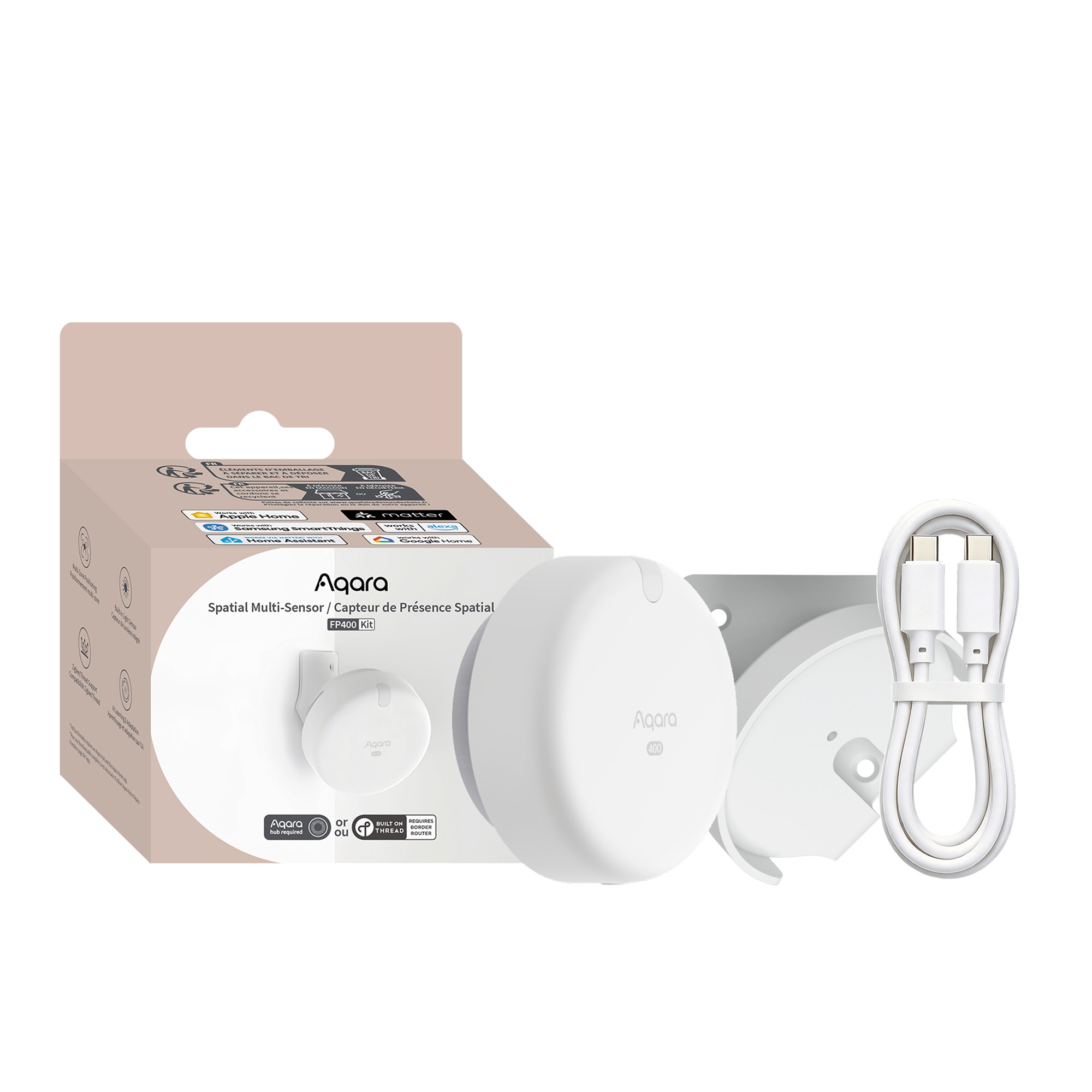


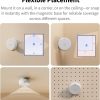
Aqara Spatial Multi-Sensor FP400 Kit
Shop the Aqara Spatial Multi-Sensor FP400 with 60GHz mmWave radar, AI presence detection, 8 zones, Matter over Thread and Zigbee support.
Exclusive to Aqara UK: Comes with a free corner bracket and screw fix kit, making it easy to securely mount the sensor on the wall for optimal accuracy.
Compatibility
Aqara Spatial Multi-Sensor FP400 Kit is compatible with the following systems:










£79.99 inc. VAT
Description
Aqara Spatial Multi-Sensor FP400
Spatial Intelligence That Respects Your Privacy
Aqara Spatial Multi-Sensor FP400 delivers full-room precision via upgraded 60GHz mmWave radar and on-device AI It tracks up to 10 users across 8 custom zones, filtering false alerts from pets, robots and reflective surfaces. Dual Matter-over-Thread and Zigbee support enables cross-platform compatibility for all major smart home systems. Versatile wall/corner/ceiling mounting, up to 8×10m coverage, IPX5 rating and built-in light sensor suit homes, wet rooms, offices and rentals. 24/7 USB-C wired power supports stable lighting, occupancy and energy-saving automations long-term.
Aqara Spatial Multi-Sensor FP400 Features:
- Multi-Target Tracking & Fine-Grained Zoned Sensing: Supports real-time tracking of up to 10 people for accurate location and presence detection. Featuring 0.5m high-precision grid mapping, it enables 8 custom sensing zones to deliver independent, space-specific smart home automations,bringing users personalised space-triggered smart routines free from cross-area interference for big families and shared offices.
- 60GHz mmWave Radar & AI Anti-Interference: Featuring Aqara’s latest 60GHz mmWave radar and high‑performance 4T4R MIMO antenna array, FP400 delivers 5× higher point-cloud density than earlier generations.Local AI filtering eliminates false triggers caused by pets, robots and moving objects when AI High-precision Human Recognition is enabled , while AI spatial learning adapts to complex indoor environments. Camera-free radar sensing protects privacy without capturing images.
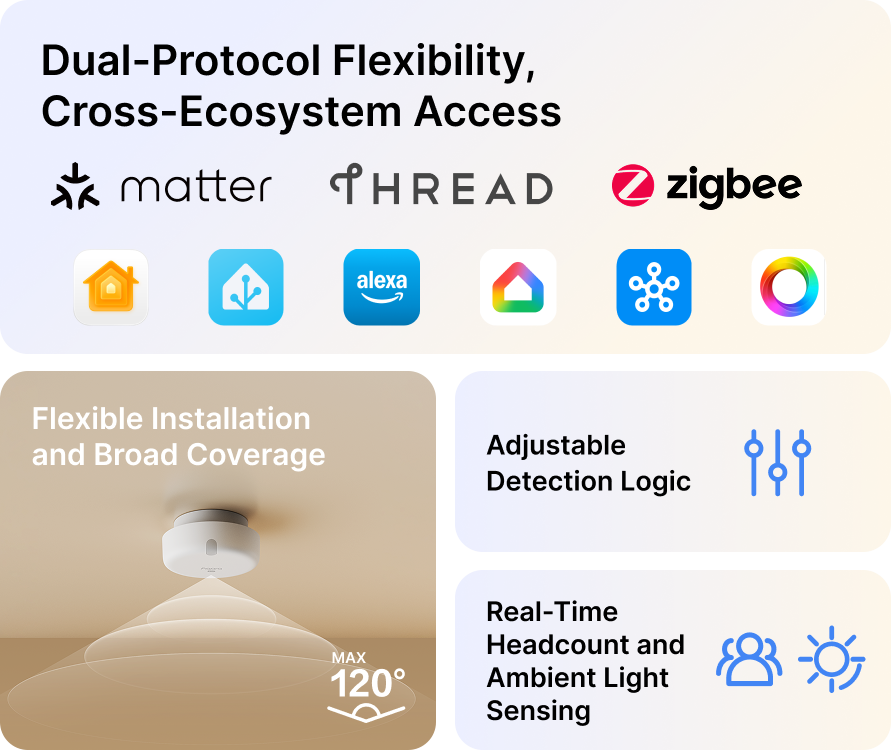
- Dual-Protocol Cross-Ecosystem Compatibility: FP400 supports both Zigbee and Matter over Thread, offering greater flexibility across different smart home ecosystems. With or without an Aqara hub*, users can complete key spatial function setup in the Aqara Home app. Once configured, the device can also integrate with major third-party ecosystems via Matter over Thread for broader cross-platform use. (*Requires a Matter Controller and Thread Border Router supported by the target ecosystem. )
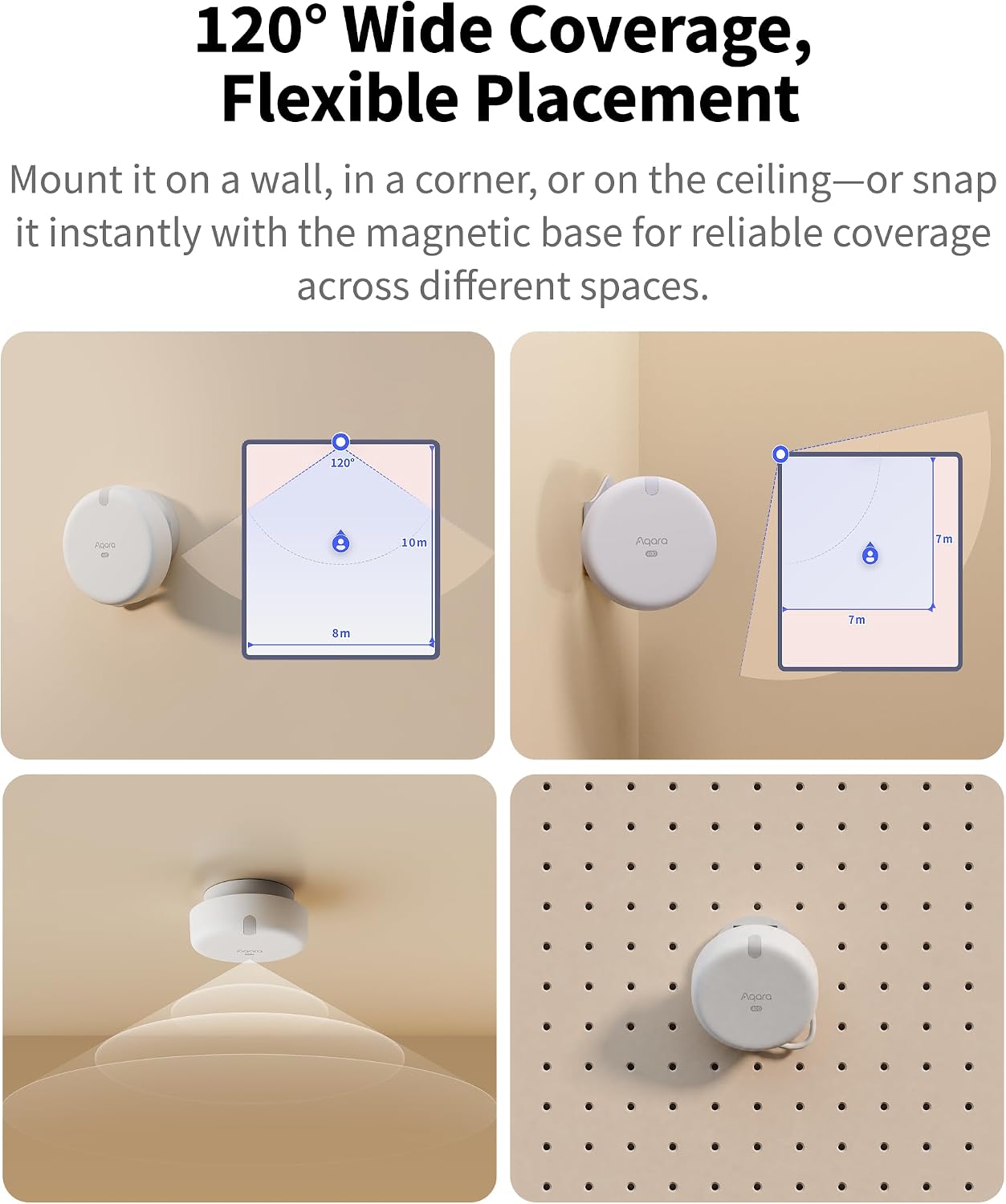
- Flexible Installation & Wide Coverage: 120° ultra-wide viewing angle supports side, corner and ceiling mounting to reduce blind spots and maximise coverage. IPX5 splash-proof design adapts to humid indoor spaces, with 24/7 USB-C constant power for maintenance-free long-term operation.
- Customisable Detection & AI Zone Configuration: Adjustable sensitivity levels and customisable absence confirmation periods adapt to different living scenarios. AI-assisted zoning automatically identifies room boundaries and interference sources for faster, more accurate setup.
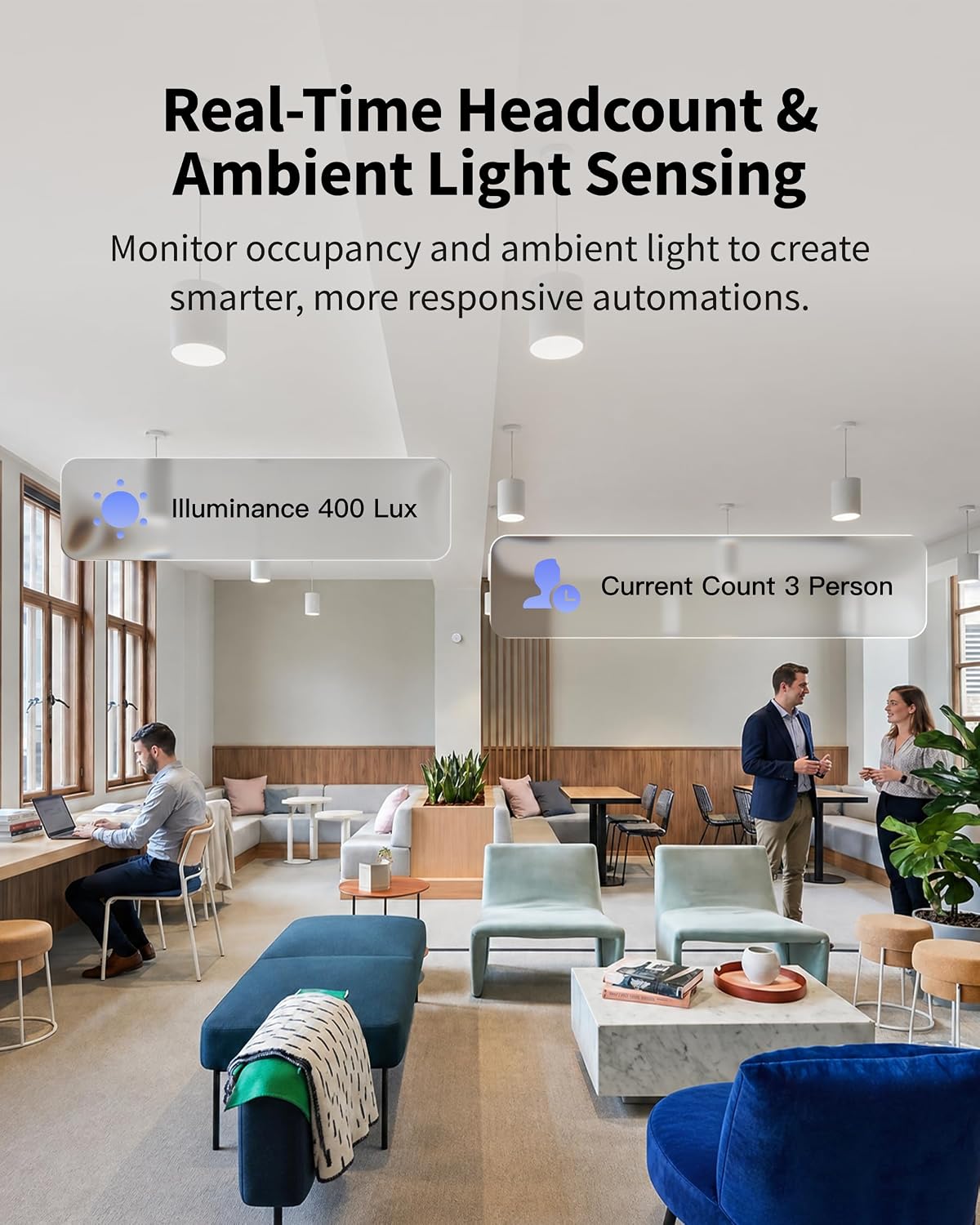
- Smarter Automations: Integrates ambient light detection and subscription-free local real-time headcount. It enables brightness-linked lighting control and privacy-friendly occupancy monitoring for households, offices and short-term rentals.
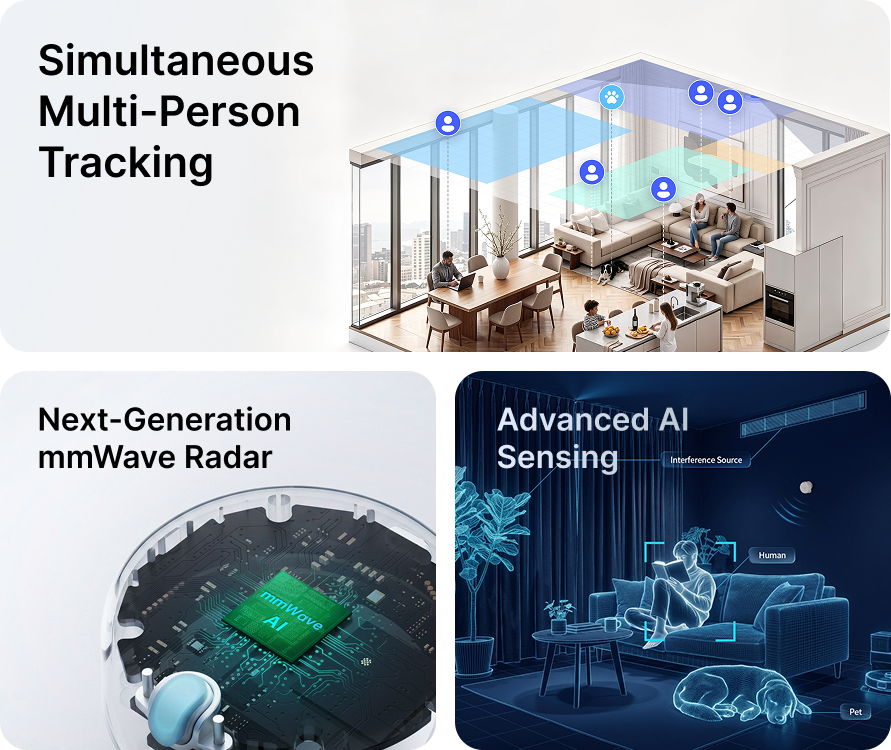
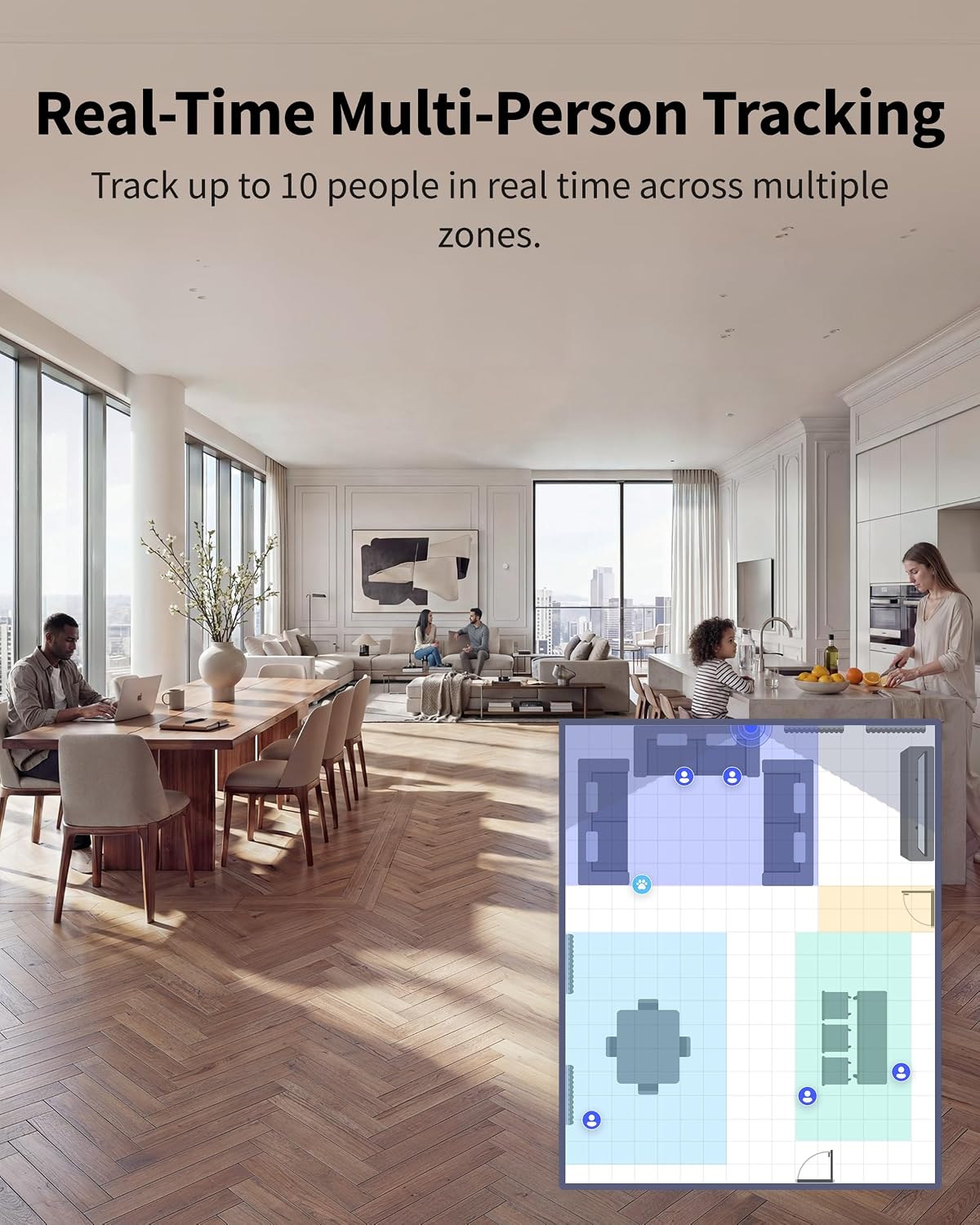
Real-Time Multi-Person Tracking
Track up to 10 people in real time across multiple zones. FP400 helps smart homes respond more intelligently in shared spaces by recognising not just presence, but location too.

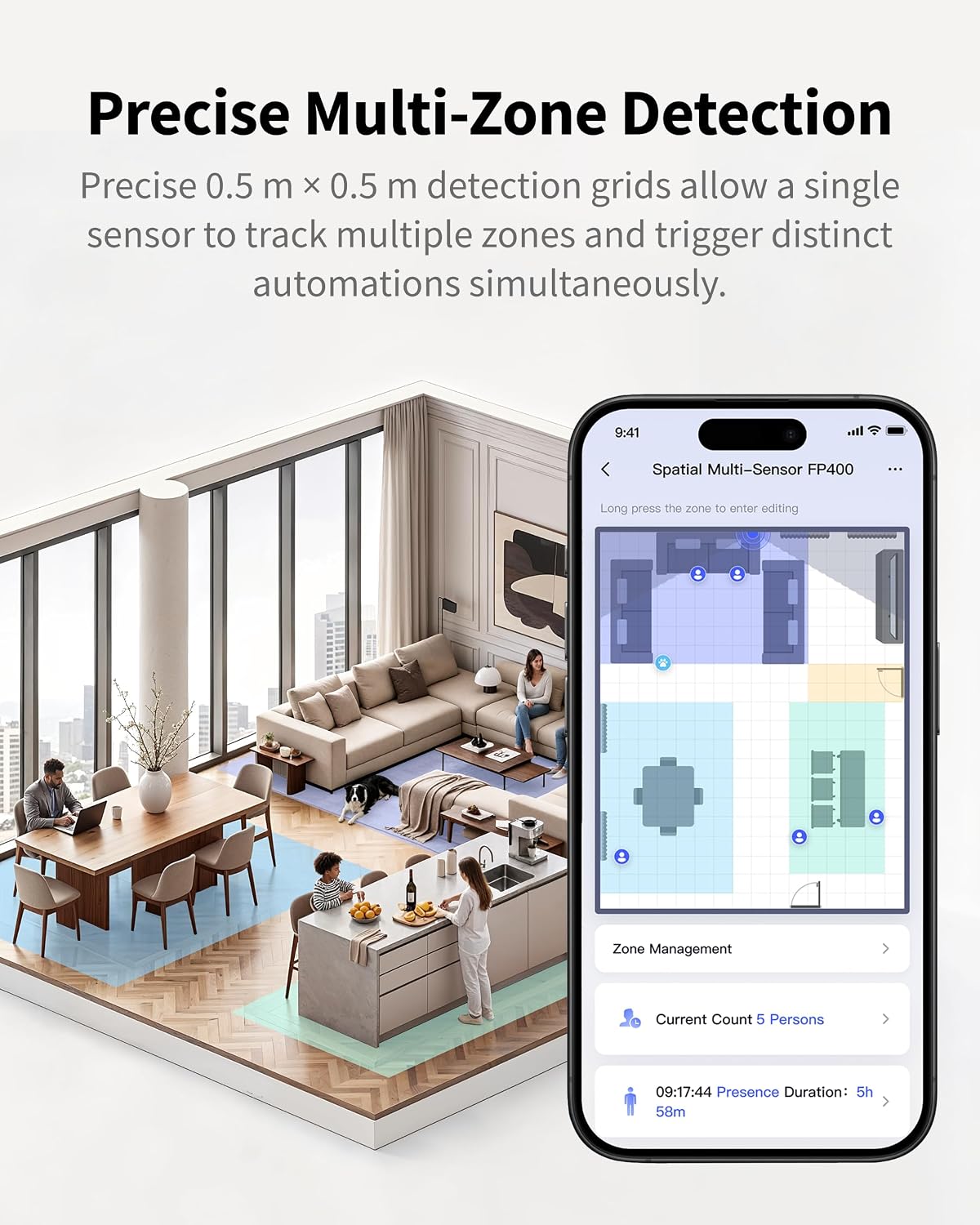
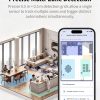
Precise Multi-Zone Detection
Based on a high-precision 0.5m x 0.5m grid, the FP400 supports highly granular zone-based automations, enabling independent sensing for areas such as sofas or dining spaces.
*Supports up to 8 custom zones when set up in the Aqara Home app via an Aqara Hub. These zones can be exposed to any supported third-party platforms. Direct connection to a third-party Matter ecosystem without Aqara Home setup does not support custom zones.

Radar That Reads the Reality of Your Home
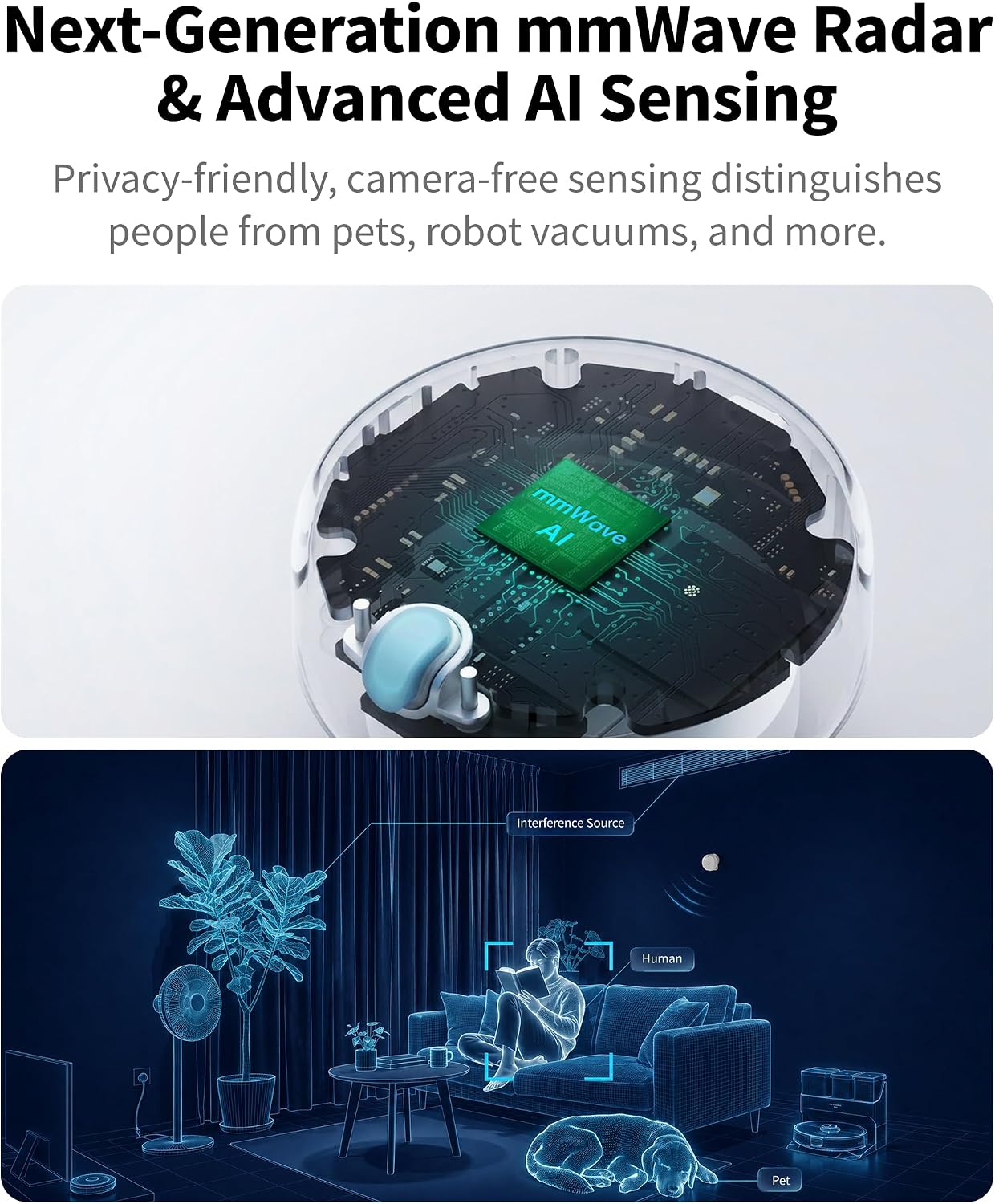
The FP400 combines next-generation 60GHz mmWave radar with upgraded AI sensing to deliver more precise detection, stronger resistance to interference and more stable performance in real home environments.

Next-Generation 60GHz mmWave Radar
Powered by our newest 60GHz mmWave radar and a high-performance 4T4R MIMO antenna array, the FP400 captures over 5x denser point-cloud data than the previous generation. Enabling more precise tracking, clearer target separation and stronger spatial intelligence.
Smarter Detection, Fewer False Triggers
The device distinguishes between movement from people and from non-human sources like pets or robotic cleaning devices. It adapts to the surrounding space over time, helping reduce false triggers and improving sensing accuracy and stability.


Camera-Free Sensing
Powered by mmWave sensing, the FP400 detects presence and movement without capturing visual content, making it a more privacy-friendly fit for your home.
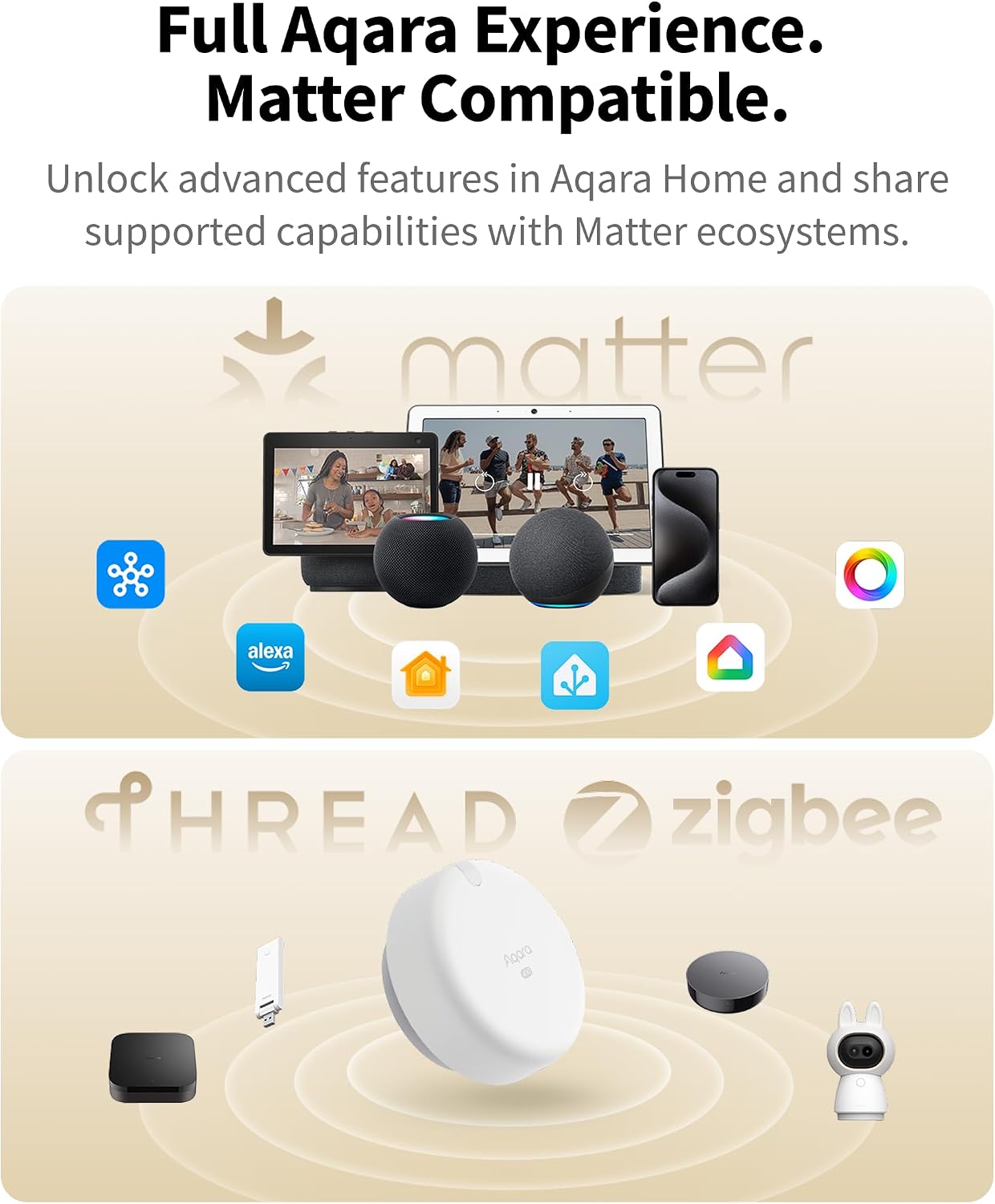
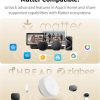
Dual-Protocol Flexibility Across Aqara and Beyond⁴
The FP400 supports both Zigbee and Matter over Thread, offering flexible connectivity across Aqara Home and major third-party smart home ecosystems. With a compatible Aqara hub, users can unlock advanced spatial sensing and reliable local automations, while Matter support enables broader cross-platform integration.
The Full Experience in Aqara Home
With a compatible Aqara hub¹, the FP400 unlocks its full potential in the Aqara Home app: whole-area presence detection, up to eight custom zones, multi-target tracking, AI human recognition and powerful local automations.


Connect to the platforms you already use,
After setup, you can use the Matter pairing code generated in Aqara Home to share supported FP400 capabilities with compatible Matter ecosystems².
Using an existing Thread network.
With a compatible third-party Thread Border Router, the FP400 can be set up in Aqara Home even without an Aqara hub. Users can configure custom zones, detection sensitivity and the Absence Confirmation Period. Then share one whole-area occupancy sensor and up to eight custom zone occupancy sensors with compatible Matter ecosystems³.
¹ Aqara hub compatibility varies by model, region and firmware version. View compatibility details.
² To use the FP400 in a third-party Matter platform, a Matter Controller and Thread Border Router supported by the target ecosystem are required.
³ Requires a pre-configured third-party Thread Border Router. Availability may vary by device or platform.
⁴ The experience described in this section is based on setup through Aqara Home. Direct setup on a third-party Matter platform over Thread without Aqara Home is strongly discouraged, as the FP400 is limited to a single whole-area occupancy sensor with no custom zones.
* Aqara Hub Compatibility
Currently supported: [Hub M3, Hub M100, Hub M200, MagicPad S1, Panel Hub S1 Plus, Doorbell Camera Hub G410, Camera Hub G350, Camera Hub G5 Pro].
Support planned for Q4 2026: [Thermostat Hub W200].
Not supported: [Hub M2, Hub M1S, Hub M1S Gen 2, Hub E1, Camera Hub G3, Smart Video Doorbell G4 and Camera Hub G2H Pro].
Availability may vary by region and firmware version.
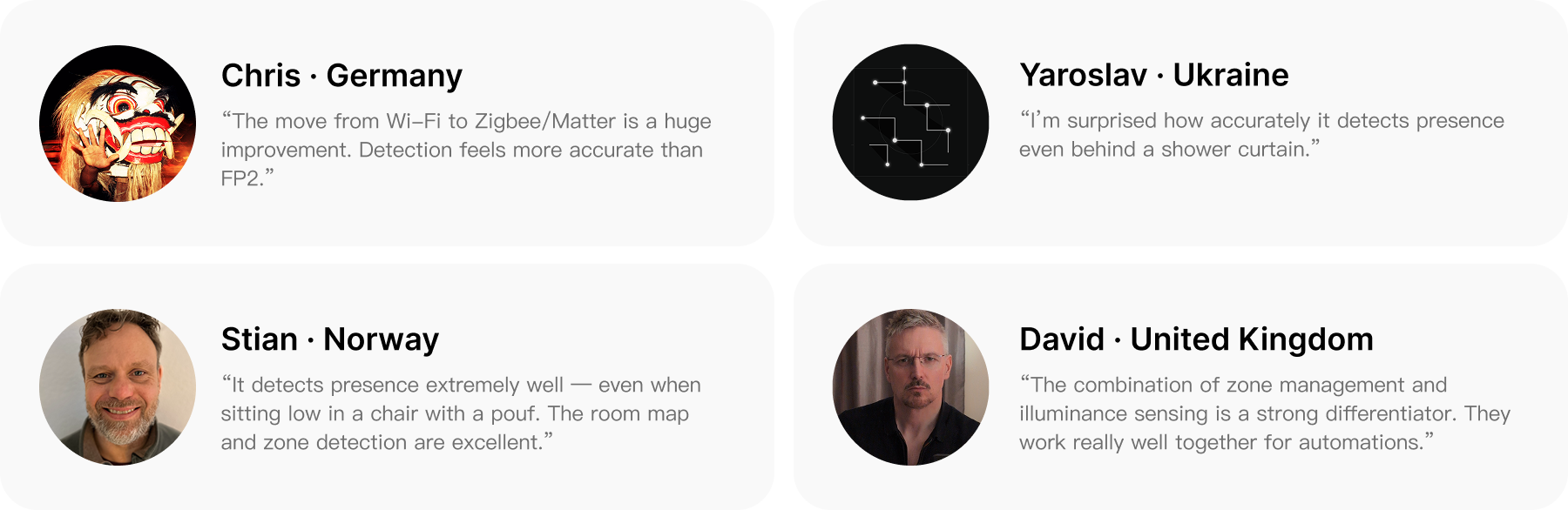
What Early Users Say
Real feedback from early FP400 testers in everyday spaces.


120° Field of View and Flexible Placement
With a 120° wide field of view and flexible side, corner and ceiling mounting options, the FP400 adapts to different room types and layouts while enabling broader single-device coverage. Proper installation helps reduce blind spots and delivers more continuous, reliable sensing across a wide range of spaces.

Verified detection up to 10m depth and 8m width.

7x7m of depth and width detection.

Recommended installation height: 3-4m.
At 3m, detection covers up to 5x6m for motion and 4x5m for presence directly below the sensor.
*For full room coverage, corner mounting is recommended.
*Corner mounting may require third-party accessories.
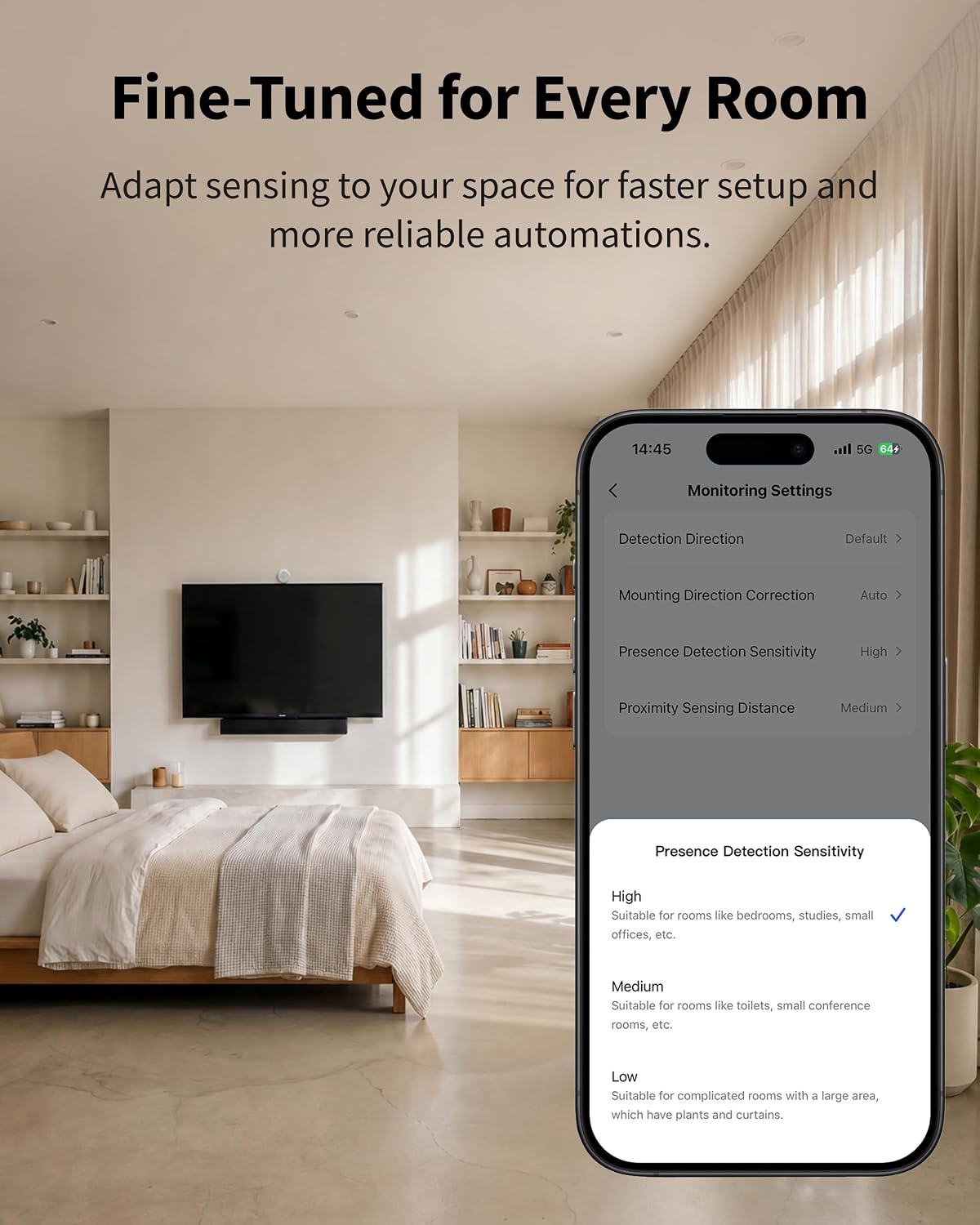
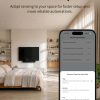
Fine-Tuned for Every Room
The FP400 lets users fine-tune sensing for different rooms. With adjustable sensitivity, absence confirmation and AI-assisted zone setup, automations can run more accurately, naturally and reliably in everyday spaces.


Fine-Tuned for Every Room
The FP400 lets users fine-tune sensing for different rooms. With adjustable sensitivity, absence confirmation and AI-assisted zone setup, automations can run more accurately, naturally and reliably in everyday spaces.
Choose from 3 sensitivity levels to match different spaces. Higher sensitivity suits quiet or long-stay areas, while lower sensitivity helps reduce false triggers in more active environments.
Set how long the FP400 waits before confirming a space is unoccupied, helping to reduce false triggers caused by brief departures or environmental interference. This can be done for the whole space or on a per zone basis.
Detects room boundaries and common interference sources to suggest zone layouts users can confirm or manually adjust, making setup faster and easier.
Additional Features for Smarter Automation

Shows the current number of people in the space through local, subscription-free software. Useful for shared spaces, short-term rentals and privacy conscious occupancy awareness.

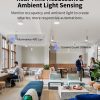
Detects changes in room brightness to support more natural light-based automations. Ideal for curtains, lighting and other brightness-aware routines throughout the day.
Smart Automations

WHEN Someone stays in the Sofa Zone for 20 seconds
AND The current time is between 7:00PM and 11:00PM
THEN The ambient light turns on automatically, and the air conditioner switches to Comfort Mode.

WHEN The real-time number of people is higher than 4
THEN A notification is sent to the host or property manager.
More Sensors. Smarter Spaces.
Expand your smart home with Aqara's complete sensor ecosystem. From presence and vibration to light, temperature and more, every sensor helps your home better understand your space and respond intelligently.

Product
Spatial Multi-Sensor
FP400
Presence Sensor
FP300
Presence Sensor
FP2
Other Brand
Sensing Tec
60GHz mmWave
(5x more precise)
60GHz
mmWave+PIR
60GHz
mmWave
24 - 60GHz
mmWave
Protocols
Thread/Zigbee 3.0
Thread/Zigbee 3.0
Wi-Fi
BLE
Detection
Motion,
Presence Detection
Motion,
Presence Detection
Motion,
Presence Detection
Motion,
Presence Detection
Tracking
Up to 10 Targets
Up to 5 Targets
Zoning
8 Zones (0.5 Grid)
30 Zones (0.5 Grid)
Angle
120°H / 100°V
120°
120°H / 40°V
120°
Distance
10 x 8m
6m
8 x 6m
5m
Ambient Light Sensing
Other Features
IPX5
Temperature Sensor
Humidity Sensor
IPX5
IPX5
Battery Life
USB-C Port
3 Years
USB-C Port
3 Years
Magnetic Stand
Automation Examples:
1. Sofa Zone Relax Mode
When someone settles into the sofa area in the evening, FP400 can automatically create a more relaxing living room atmosphere.
WHEN Someone stays in the Sofa Zone for 20 seconds AND The current time is between 7:00 PM and 11:00 PM, THEN The ambient light turns on automatically, and the air conditioner switches to Comfort Mode.
(FP400 + Hub + Curtain Controller + LED Strip + Thermostat)
2. Late-Night Pathway Lighting
When someone moves through the home at night, FP400 can automatically turn on gentle pathway lighting for safer movement without lighting up the whole space.
WHEN Someone enters the Walkway Zone AND The current time is between 11:00 PM and 6:00 AM AND The current illuminance is below 20 lux, THEN The hallway light turns on automatically at low brightness.
3. Entryway Welcome Mode
When a user comes home and enters the entryway area, FP400 can coordinate lighting and a return-home scene for a smoother arrival experience.
WHEN The door lock is unlocked AND Someone enters the Entryway Zone, THEN The entryway light and hallway light turn on automatically, and the Home Scene is triggered.
(FP400 + Hub + Smart Lock + Entryway Light + Ceiling Light / Bulb)
4. Over-Occupancy Alert for Short-Term Rentals
For short-term rentals or serviced apartments, FP400 can help flag unexpected over-occupancy by sending a mobile alert when the number of people in the unit exceeds a preset threshold.
WHEN The real-time number of people is higher than 4, THEN A notification is sent to the host or property manager.
(FP400 + Hub + Phone Notification)
Frequently Asked Questions
What position and height are recommended for the FP400 installation?
Recommended side-mounting height is 1.5–2 m, balancing detection accuracy for standing, seated, and low-activity scenarios. For more coverage, use side-mounting at a height of around 2 m. Recommended ceiling-mounting height is 3–4 m. For blind-spot-free detection, corner installation is preferred.
Can the FP400 be installed in humid environments such as bathrooms or kitchens?
Yes, this product has an IPX5 protection rating, meaning it is splash-resistant and suitable for use in humid indoor environments such as bathrooms and kitchens. However, keep it away from open flames and areas exposed to direct high-temperature steam.
What advantages does corner installation have over middle-of-wall installation?
Corner installation makes full use of the 120° detection angle, eliminating long-distance blind spots on both sides that may occur with wall mounting. This provides more even detection coverage and reduces missed detections.
Is it normal if the device's detection range differs from the specifications in the manual?
This is normal. The values stated in the manual represent the maximum detection range under ideal laboratory conditions. In actual use, mounting height, angle, wall/metal reflections, airflow, target posture, and obstructions can all affect the effective range of motion and presence detection, and unavoidable blind spots may exist.
When people are sleeping or sitting still for a long time, will the device incorrectly detect them as absent?
FP400 uses millimeter-wave radar to precisely detect subtle human breathing movements. With proper configuration, it can reliably identify static presence. We recommend setting detection sensitivity to high and extending the Absence Confirmation Period to significantly reduce false negatives when stationary.
Can the FP400 detect falls or human posture?
No. FP400 only supports occupancy detection (“Presence” / “No Presence”) and motion detection (“motion detected” / “all stationary”). It does not support fall detection or pose recognition and cannot determine whether a person is standing, sitting, or lying down.
My home has pets/robot vacuums, and there are frequent false alerts indicating presence. What should I do?
Three solutions: ① Enable “AI Enhanced Person Detection” to automatically filter out non-human targets such as pets and robot vacuums (note: infants and small children may occasionally be misclassified as pets); ② Set areas where pets/robot vacuums frequently move as interference sources to ignore micro-movement signals in those areas; ③ Slightly reduce detection sensitivity to reduce environmental interference triggers.
There are frequent “presence detected” statuses when no people are there. What should I do?
“Ghost targets” are false detections caused by multipath echoes due to strong reflective surfaces such as walls, metal, mirrors, or glass. Setting reflective areas as “Boundary” type or readjusting the installation angle to avoid strong reflective surfaces can significantly improve accuracy. It is recommended to manually set Boundary regions in the app after installation.
Even though there is clearly no one in the space, the app still shows “Someone present”. What is the reason?
Main causes and solutions: ① Micro-movement interference in the environment (curtain movement, fan rotation, air conditioning airflow, pet activity); set the interference source area as “Interference Source” type; ② “Ghost targets” remain; perform an “AI Spatial Learning” manually in the app; ③ Set reflective surface areas as “Boundary” type.
A person is in the room, but the app is showing that no presence is detected. What could be the reason?
Main causes and solutions: ① Incorrect mounting height or angle—the device is not oriented toward the activity area; adjust the device orientation or lower its mounting height appropriately; ② Detection sensitivity is too low; open your app and increase the sensitivity; ③ The person is in a distant edge area or is heavily obstructed; consider reducing the Absence Confirmation Period to see if performance improves; ④ The person is in a near-motionless state (such as sleeping); ensure sensitivity is increased and appropriately extend the Absence Confirmation Period.
Is it normal for the person count to be inaccurate when multiple people are present?
A small deviation is normal. When multiple people are present simultaneously, the person count may have a 1–3 person variance due to overlapping point clouds between multiple targets and/or people obstructing each other from the radar. Therefore, accuracy cannot be guaranteed 100%. In scenarios requiring high personnel count accuracy, we recommend referring only to the “Real-Time People Count” trend in your app and not using it as an exact counting reference.
Why does detection become unstable when two people are close together?
When two targets (a person or a non-person) are within approximately 1 meter of each other horizontally, the point cloud may overlap, causing the algorithm to become unstable in classification (swapping the person/non-person labels) or causing the target to “stick” to the position of another target. We recommend setting densely occupied areas in your app as a larger “Monitoring Zone” rather than precise positioning.
Why does the app's map display sudden jumps when one person stands close to another?
When a target is within approximately 1 meter of another target, the algorithm pauses classification to prevent point cloud overlap. During this time, the target remains in a “pending confirmation” state (displayed as “…”). Normal operation resumes when the targets separate by more than 1 meter. Optimal detection performance occurs when targets are more than 1 meter apart.
Why does target positioning occasionally jump to walls or windows and then return to normal after a while?
This is a “ghosting” phenomenon, commonly seen near large glass, mirror, or metal surfaces. Signal reflections cause false targets to appear in locations where none exist. We recommend setting reflective areas as “Boundary” type, or performing an “AI Spatial Learning” manually in the app to adapt to the environment.
Custom zones were set in the app, but the number of zones displayed on third-party platforms (such as Apple Home) is incorrect. How do I fix this?
There are three reasons: ① Some third-party Matter platforms do not support adding or removing zones; we recommend completing all zone configurations in Aqara Home before syncing to third-party platforms; ② After syncing, you need to manually name the corresponding presence sensor in the third-party platform to distinguish the zones; ③ Try removing and re-adding the device in the third-party platform to sync the latest status.
What are the four zone types: “Monitoring Zone”, “Interference Source”, “Entry/Exit”, and “Boundary”?
① Monitoring Zone: main functional areas such as living room or bedroom, used to trigger automations for Presence/No Presence; ② Interference Source: objects with continuous micro-movements (e.g., fan, plant, pet activity zone); setting this area filters out its signal; ③ Entry/Exit: location of an entrance/exit; setting it improves detection speed for people entering or leaving; ④ Boundary: reflective surfaces such as walls, glass, or metal; setting this prevents ghosting and false targets.
Is it necessary to pair the FP400 with an Aqara hub?
Connecting to the Aqara ecosystem and accessing the device’s full functionality requires an Aqara hub. If the device is instead added directly to a third-party ecosystem by scanning its Matter code, it can only be used as a single presence sensor and a single light sensor; custom zone configuration and other advanced features are not available outside of Aqara Home.
What are the functional differences between the Zigbee and Thread protocols?
Main differences: ① Local automation and response speed: the Zigbee protocol combined with an Aqara hub is typically faster; ② Cross-platform compatibility: Thread natively supports Matter, making it easier to integrate with third-party platforms such as Apple Home and Google Home.
How do I switch the FP400 from the Thread protocol to the Zigbee protocol?
First remove the device in the app, then press and hold the reset button for 5 seconds to reset the device. On the pairing screen, tap “Switch Protocol”, select the target protocol, and follow the instructions to complete pairing. Switching protocols will erase all settings, equivalent to a factory reset, so remember to save the current map as a template first.
What should I do if custom zones that have been set cannot be displayed in third-party ecosystems?
① Complete all zone and parameter configurations within the Aqara Home app first, then synchronize to third-party platforms via the Matter pairing code; ② Some third-party platforms do not support dynamic zone modification; delete and re-add the device if needed; ③ Zone names must be manually modified in the third-party platform to match actual locations.
What should I do if scanning the QR code on the physical device fails when adding the device to a third-party platform?
When adding a second or subsequent platform, scan the secondary Matter pairing code generated in the Aqara Home app, not the original QR code on the device or manual. Reusing the original code for repeated additions will cause pairing failure.
What should I do if the FP400's performance is unstable in third-party ecosystems and its status is inconsistent with Aqara Home?
Troubleshooting steps: ① First confirm the device status is normal and the firmware is up to date in Aqara Home; ② Delete the device from the third-party platform and re-add it using the Matter pairing code; ③ Confirm the Thread protocol connection and ensure the Matter hub supports full functionality; ④ Complete all zone and parameter configurations in Aqara Home before synchronization.
Videos
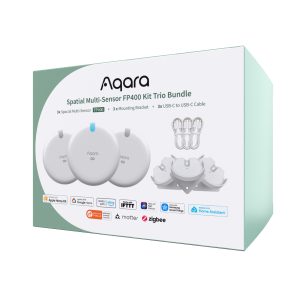
Save money with these kits!
Product Specifications
Physical and Performance Attributes | |||||||||||||||||||||
|---|---|---|---|---|---|---|---|---|---|---|---|---|---|---|---|---|---|---|---|---|---|
| Dimensions (L x W x H) | 64 × 64 × 29 mm | ||||||||||||||||||||
Misc Product Attributes | |||||||||||||||||||||
Specifications:
| |||||||||||||||||||||