
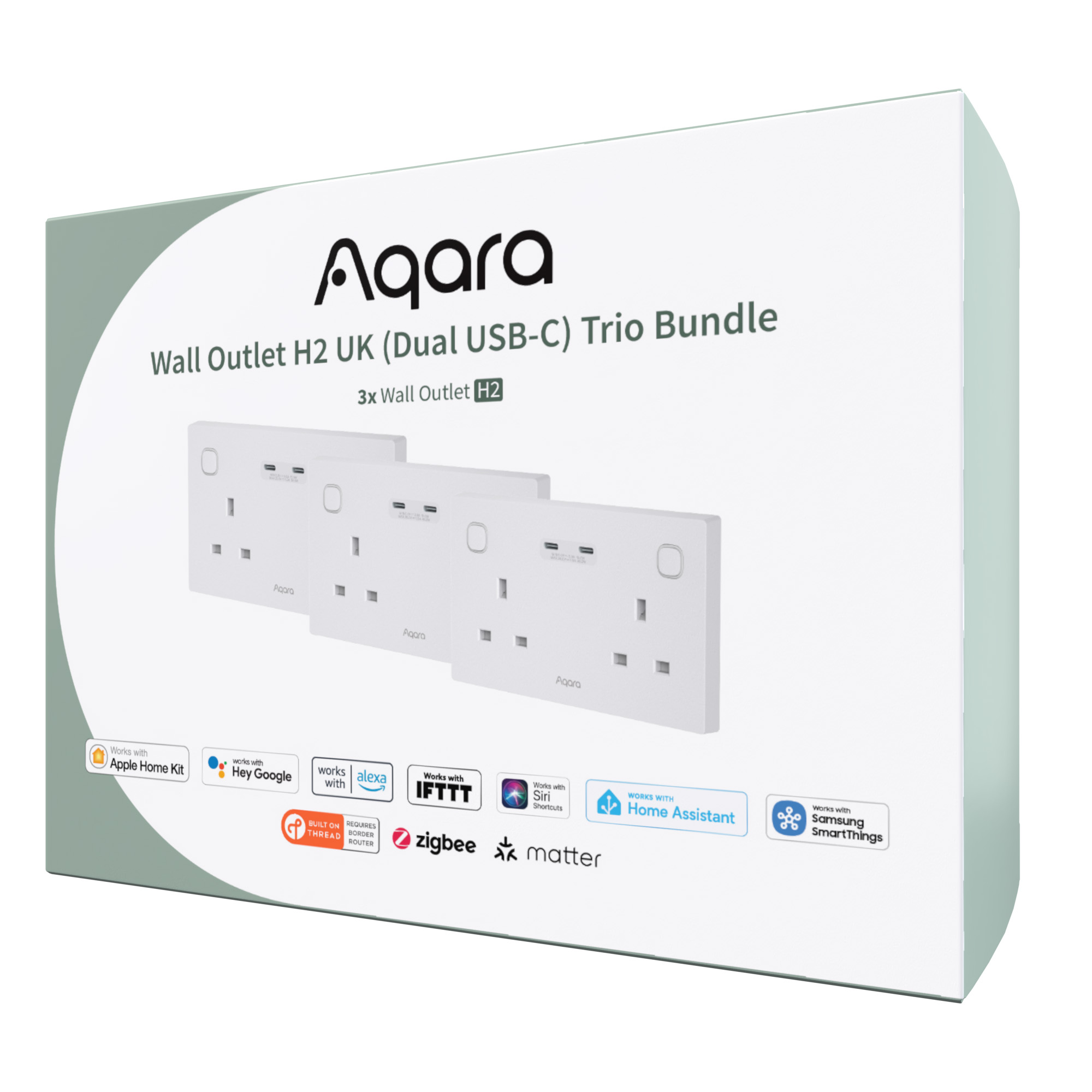
Aqara Wall Outlet H2 UK (Dual USB-C) Trio Bundle
Aqara Wall Outlet H2 UK Trio Bundle with dual USB-C fast charging, Matter-ready Thread & Zigbee support, independent control, power monitoring and built-in safety.
Exclusive to Aqara UK – gives you dual USB-C with higher output — powerful enough to charge a MacBook Air, not just phones.
Compatibility
Aqara Wall Outlet H2 UK (Dual USB-C) Trio Bundle is compatible with the following systems:






£189.98 inc. VAT
Description
Aqara Wall Outlet H2 UK (Dual USB-C) Trio Bundle
Your all-in-one solution for smarter, safer, and faster home power management.
Upgrade your home with the Aqara Smart Power Trio Bundle, featuring three Wall Outlet H2 UK units with dual USB-C ports. Designed for families, home offices, or smart enthusiasts, this bundle delivers flexible control, fast charging, and advanced energy monitoring across multiple rooms. Whether you’re automating morning routines, protecting your devices, or cutting energy waste, this trio gives you everything you need to create a safer, smarter, and more efficient home.
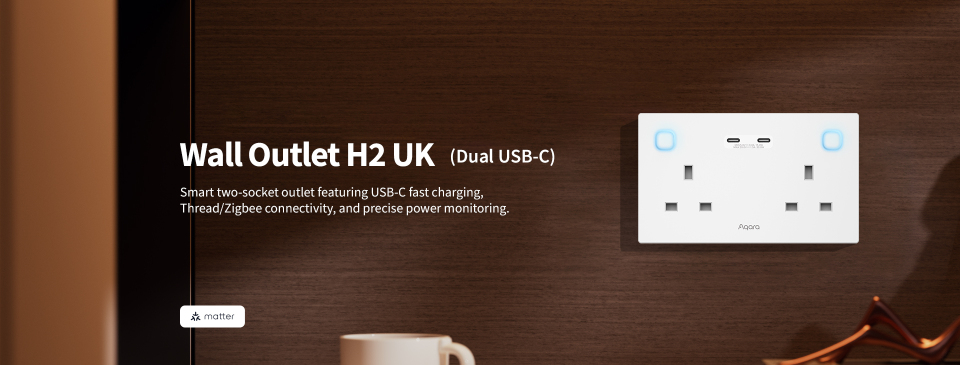
Aqara Wall Outlet H2 UK (Dual USB-C) – Smart two-socket outlet featuring USB-C fast charging, Thread/Zigbee connectivity, and precise power monitoring.
The Aqara Wall Outlet H2 UK brings smart, safe, and efficient power control to your home. With dual Thread and Zigbee support, it connects easily to Matter ecosystems or Aqara ecosystems. Enjoy independent outlet control, USB-C fast charging, and real-time power monitoring for smarter energy use. Built-in child lock, overload, and heat protection ensure safety and peace of mind — all in one elegant, intelligent outlet.
Aqara Wall Outlet H2 UK Features:
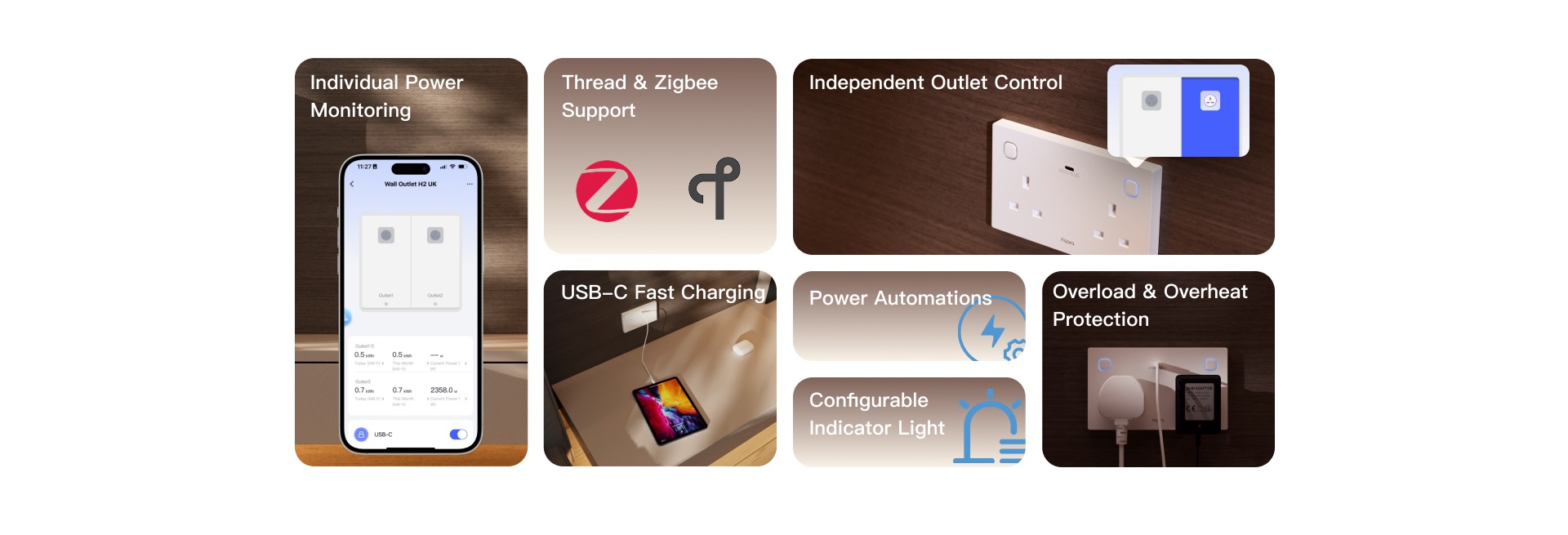
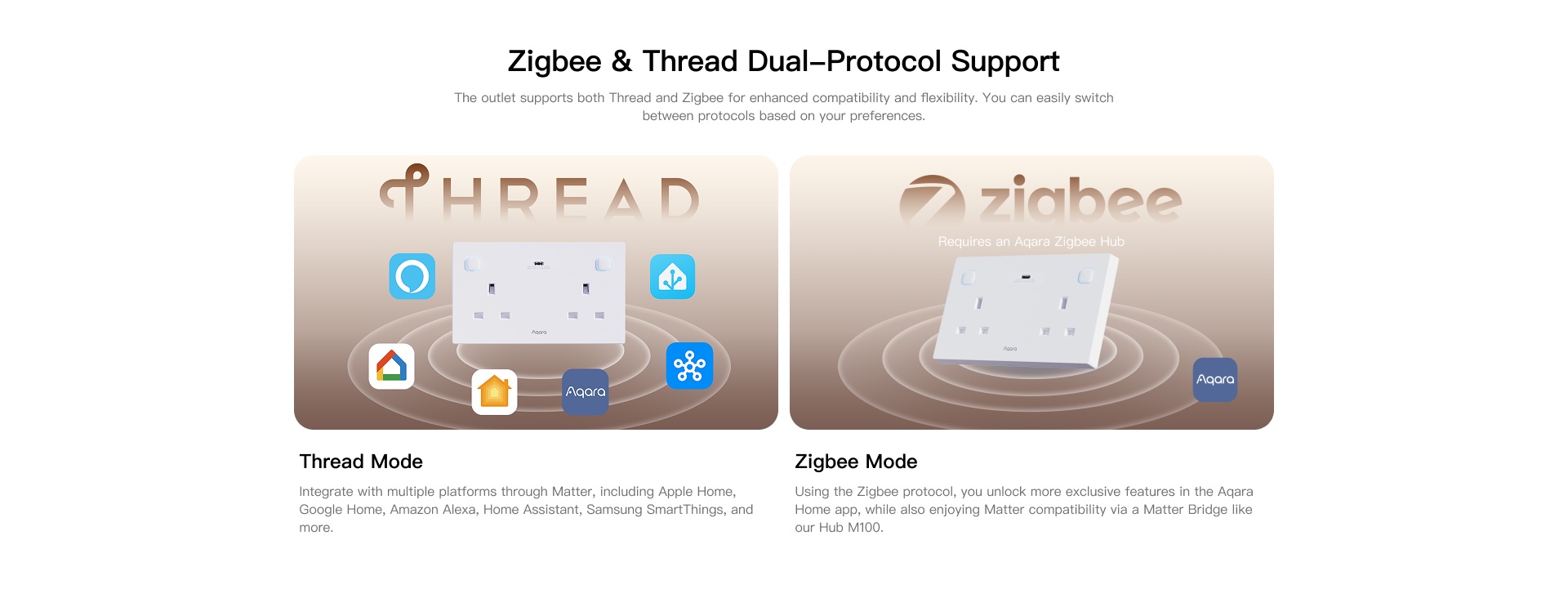
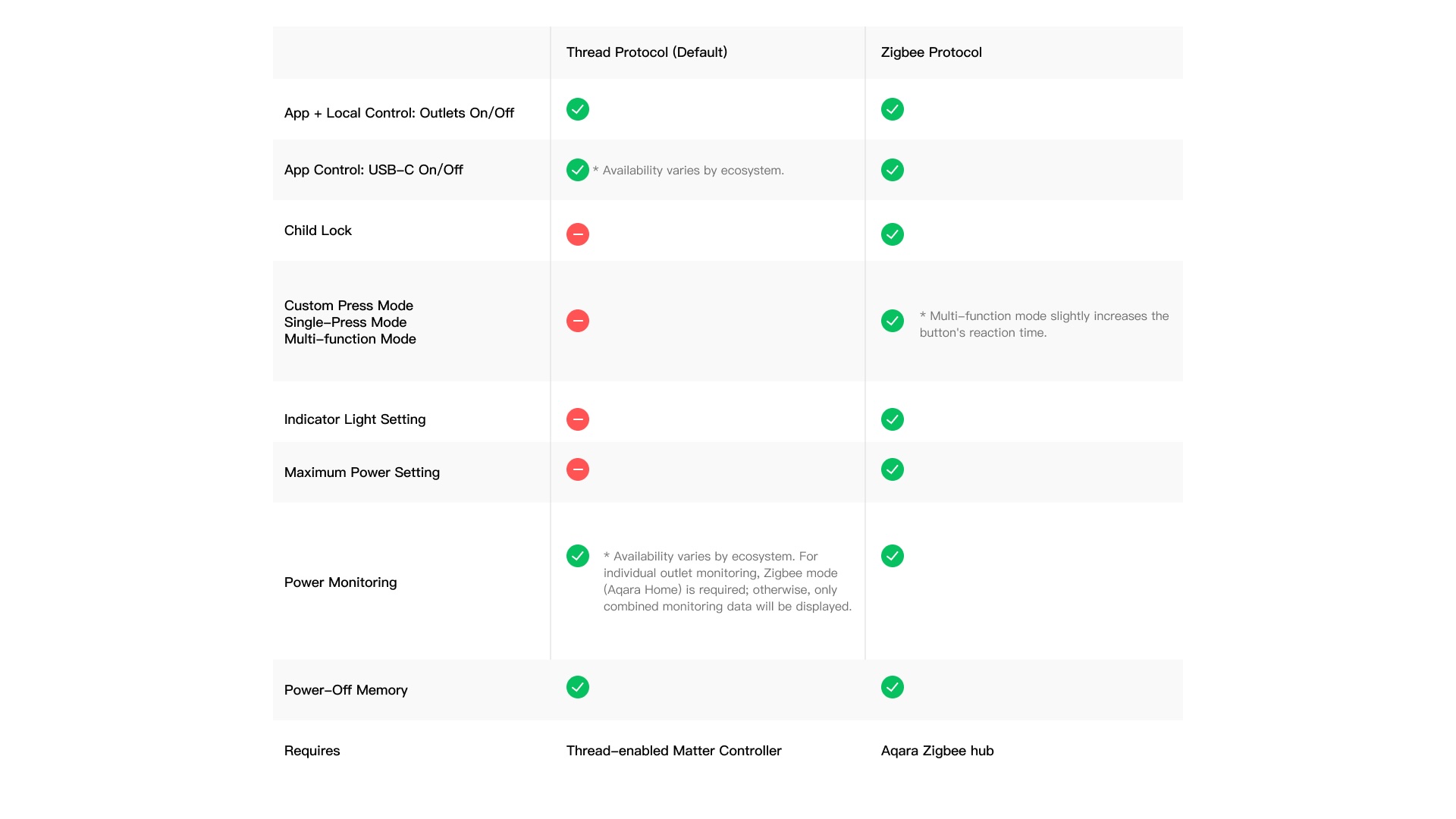
- Thread/Zigbee Support: The device features dual protocol support. In Thread mode, no Aqara hub is required to connect to third-party Matter ecosystems①, while Zigbee mode② unlocks exclusive Aqara features and ensures backward compatibility with the classic Aqara Zigbee hubs without compromising Matter support. The flexible protocol switching lets users enjoy Matter integration or Aqara’s advanced functionalities based on their preference.
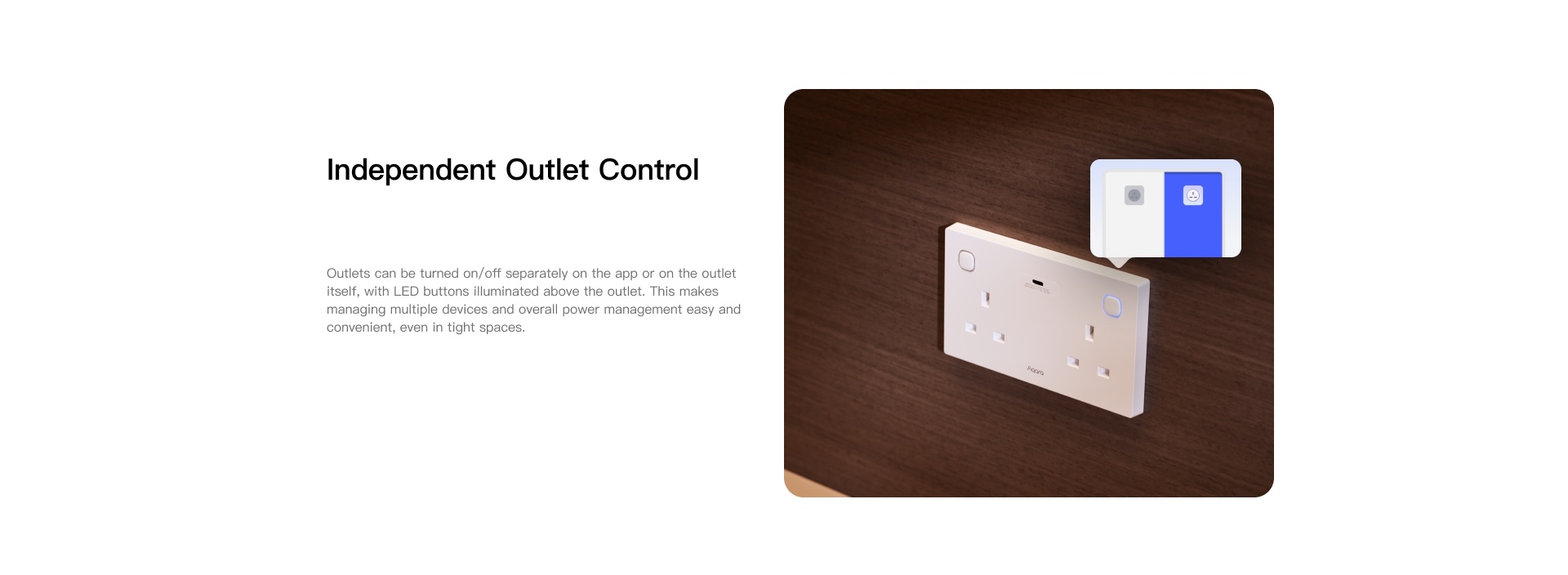
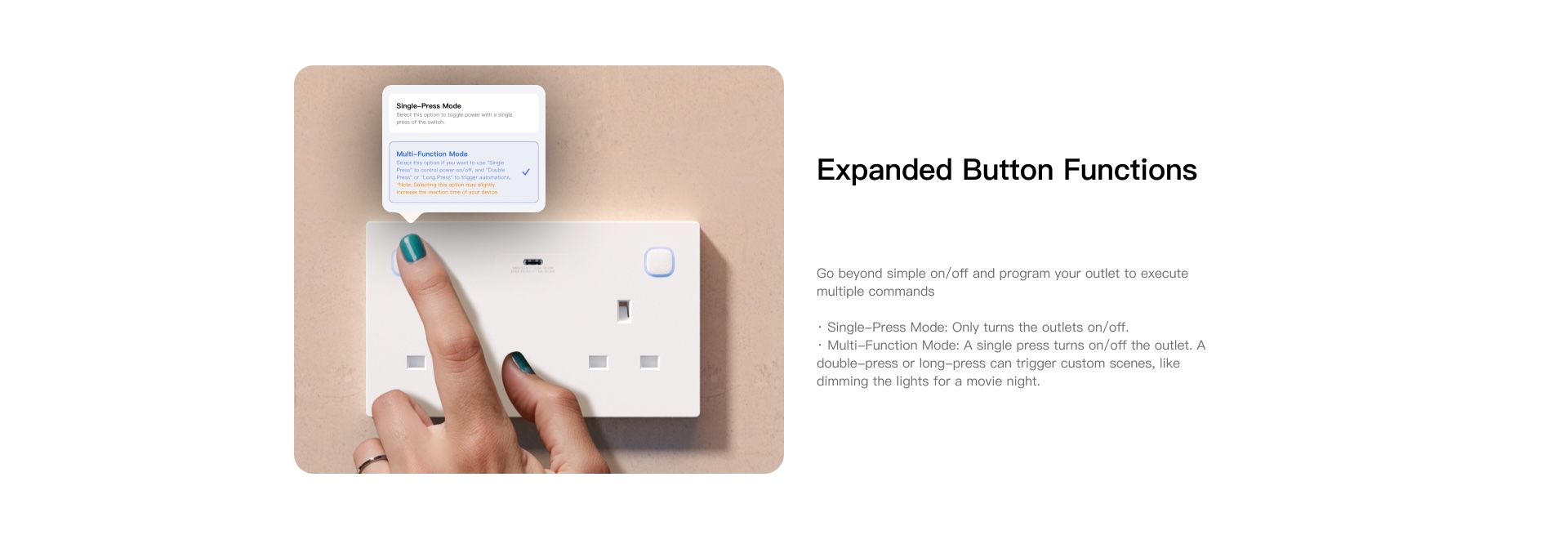
- Independent Outlet Control: This device has two independent AC outlets to facilitate control of different devices. Easy-to-Access Buttons mode is like a traditional switch, using physical buttons and the app to control the device on and off. Custom Press Mode③ allows users to control it through different press modes, thus combining the functions of controlling the on/off state and triggering automation/scenes on the same outlet.
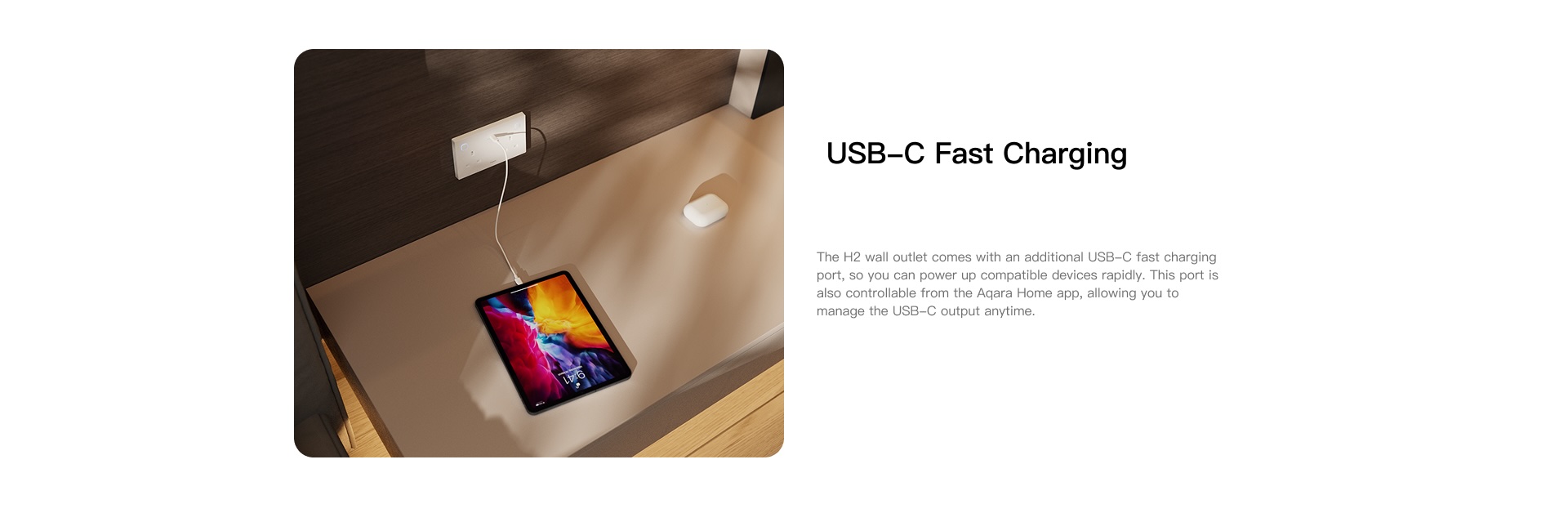
- USB-C④ Fast Charging: Two dedicated USB-C ports offer fast, efficient charging for your phone or tablet. Enjoy the convenience of scheduling charging times or turning the port on/off remotely via the app—all without sacrificing speed or safety.
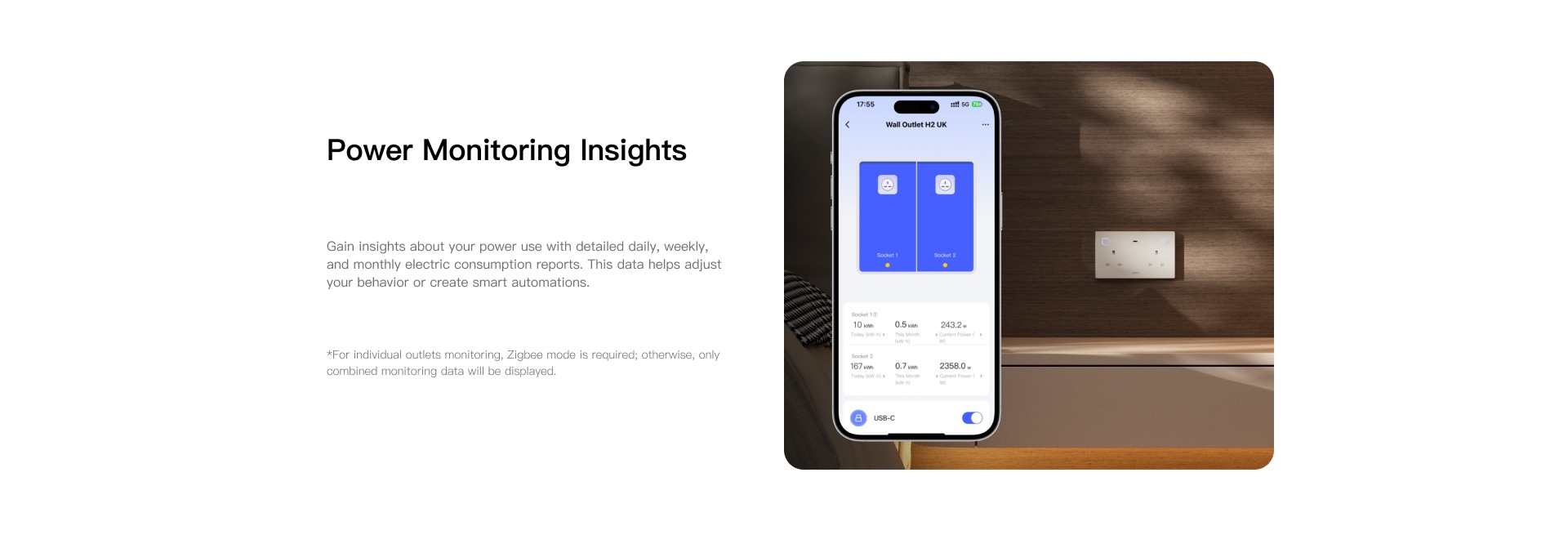
- Power Monitoring⑤ & Automations: This feature tracks the energy consumption of connected devices directly. Users can view detailed daily, weekly, and monthly electricity usage details on Aqara Home. Based on usage data and power thresholds, it automatically adjusts settings or shuts down devices to reduce waste and lower costs.
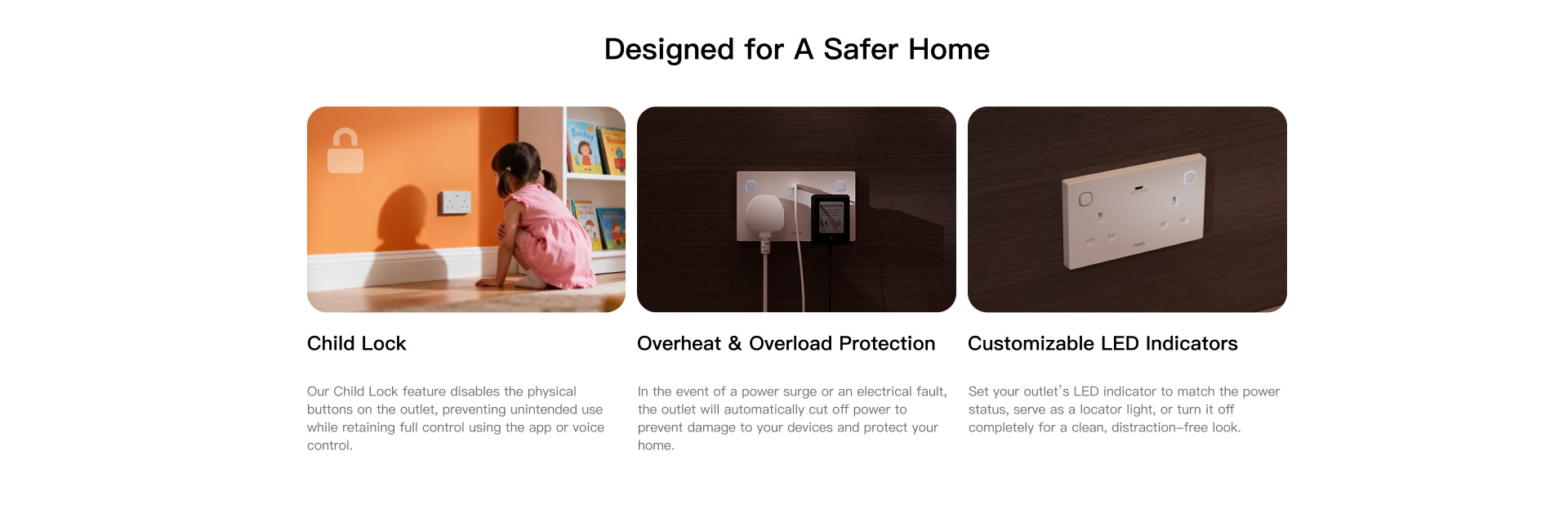
- Optional Child Lock: The Child Lock feature⑥ prevents accidental button presses by children or pets, as the physical button on the outlet is deactivated. Your smart commands via app, voice, and automations remain fully active, ensuring uninterrupted convenience and peace of mind.
- Overload & Heat Protection⑦: This outlet automatically cuts off power to prevent dangers from circuit overload or overheating. With adjustable current limits, it provides the first line of defence for home electrical safety.
① To use the device with a particular Matter ecosystem, a Thread-enabled Matter Controller of this ecosystem is required.
② Aqara Zigbee hub required.
③ Zigbee mode is required to achieve this functionality. Multi-function mode slightly increases the button’s reaction time.
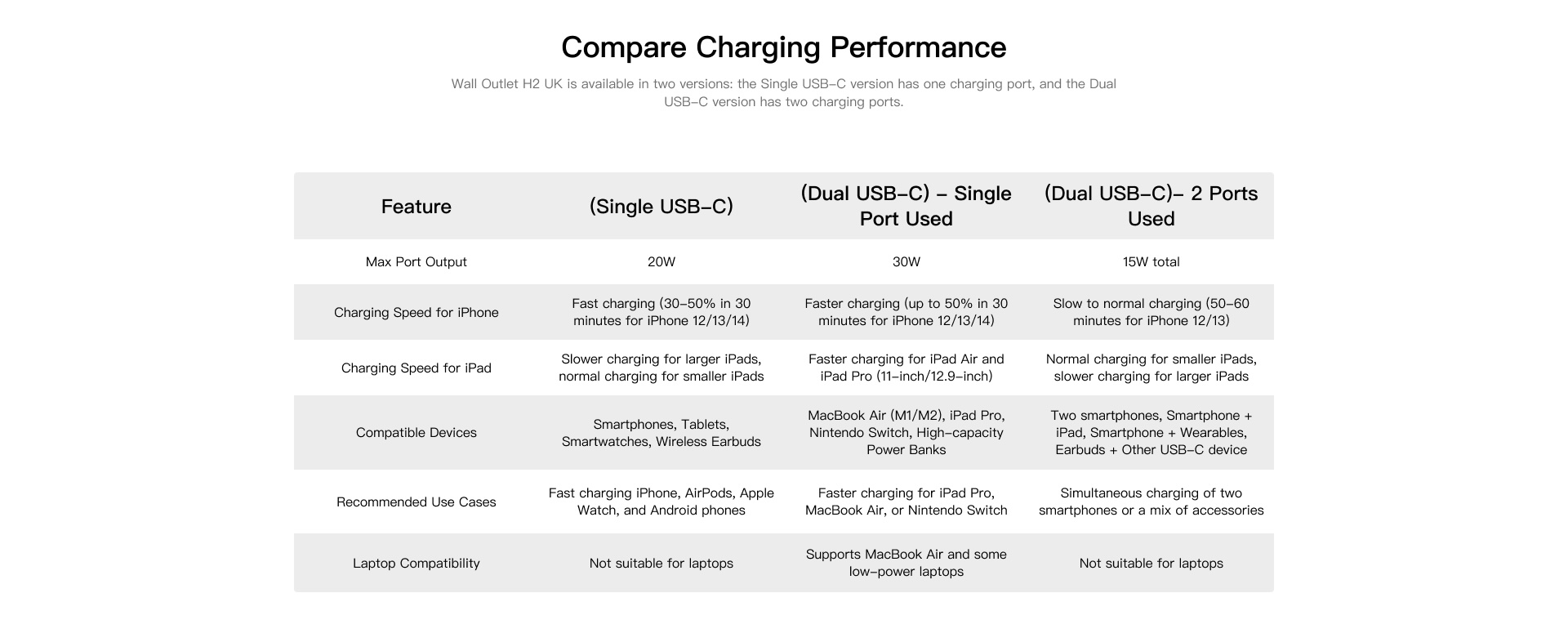
④ For dual USB-C, if both ports (USB-C Ports) are used, each port will only deliver 15W (maximum output).
⑤ For individual outlet monitoring, Zigbee mode is required; otherwise, only combined monitoring data will be displayed.
⑥ When child lock is enabled, the button can still be used to trigger a network or factory reset. Zigbee mode is required to achieve this functionality.
⑦ Zigbee mode is required to achieve this functionality.
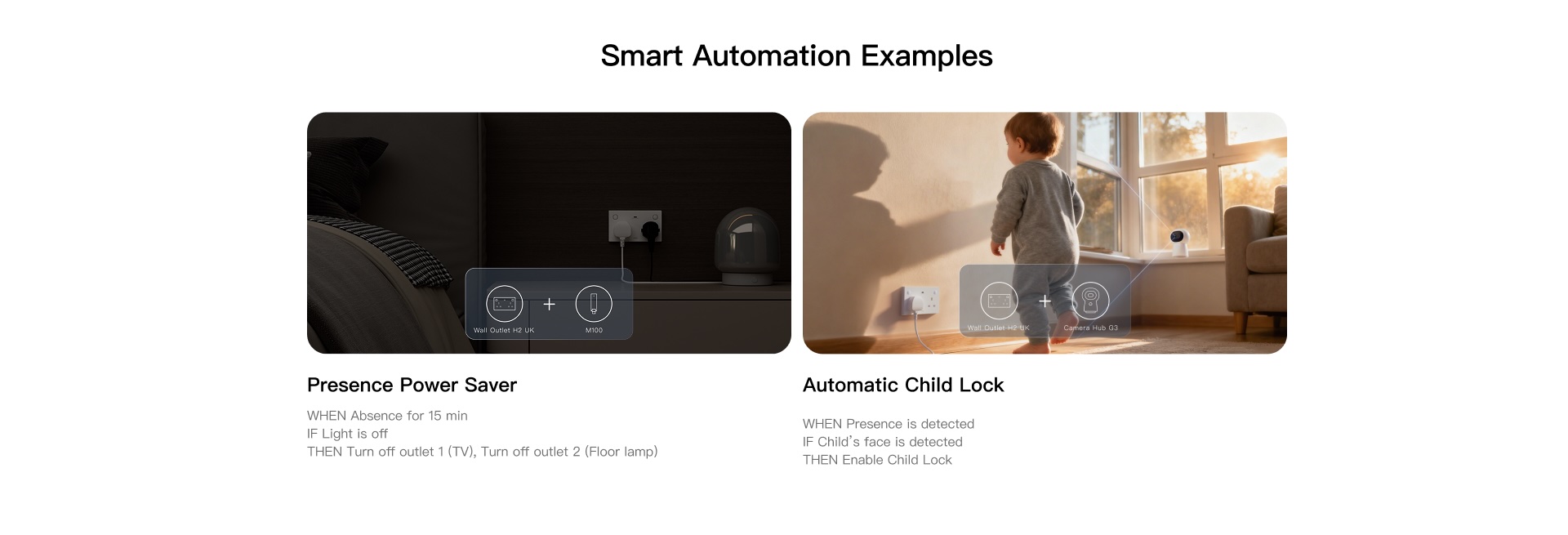
Aqara Wall Outlet H2 UK Automations:
1. Energy-Saving Cutoff
WHEN Absence for 15 min; IF Light is off, THEN Turn off outlet 1 (TV) & Turn off outlet 2 (Floor lamp)
Cut standby waste when you’re away, power back up the moment you return.
(Wall Outlet H2 UK + Hub M100)
2. Morning Routine Boost
WHEN Motion is Detected between 7:00–8:00 AM in the bedroom in week day, THEN Turn on Outlet 1 (Coffee Machine) & Turn on Outlet 2 (Toaster)
The kitchen appliances automatically start up when you wake up on weekdays, saving time on preparing breakfast. Perfect for office workers or those who need to be on time.
(Wall Outlet H2 UK + Motion Sensor P1 + Hub M100)
3. Automatic Child Lock
IF Kid’s face is detected, THEN Enable Child Lock on Outlet 1 & Outlet 2
Automatically locks down outlet whenever your child is detected nearby — giving you peace of mind without lifting a finger.
(Wall Outlet H2 UK + Camera Hub G3)
4. Bedside Comfort
WHEN Wireless Mini Switch is pressed (any condition is met), THEN Turn off outlet 1 (lamp) & Turn on USB-C; 1 hour later, Turn off USB-C
Bedside lamp turns off automatically + Phone charger only powers on for 1 hour so you avoid overcharging overnight.
(Wall Outlet H2 UK + Hub M3)
Frequently Asked Questions
What is the default protocol of Wall Outlet H2 UK?
The default protocol is Matter over Thread. Note: Factory reset or reset will not change the current protocol.
How to identify the current communication protocol?
After factory reset or reset, when adding the device, identify the current protocol by checking the LED indicator:
Blue flashing: Matter protocol
Purple flashing: Zigbee protocol
Red: Addition timeout
How to switch the protocol from Thread to Zigbee?
1) Install the Aqara Home app, and enable Wi-Fi and Bluetooth.
2) Restore the device to factory settings (press any button 10 times continuously) or reset it (press any button twice continuously, then press and hold for 5s within 3s) to enter network configuration mode (first-time device setup will automatically enter network configuration mode), and the indicator light will slowly flash.
3) In the Aqara Home app, tap “Add Accessory”, scan the Matter code on the button, select Zigbee in the “Switch Protocol” page, and follow the app instructions to complete setup.
How to switch the protocol from Zigbee to Thread?
1) Install the Aqara Home app, and enable Wi-Fi and Bluetooth.
2) Restore the device to factory settings (press any button 10 times continuously) or reset it (press any button twice continuously, then press and hold for 5s within 3s), then enter network configuration mode.
3) In the Aqara Home app, tap “Add Accessory”, bring your phone close to the device, the Wall Outlet H2 UK will appear in the top left of the application, tap the icon and select Thread in the “Switch Protocol” page, and follow the app instructions to complete setup.
Does Wall Outlet H2 UK require neutral and ground wires?
Yes
How to connect Wall Outlet H2 UK to a mobile phone?
Using the device in a specific Matter ecosystem (Thread mode)
Requires a Matter controller and Thread border router in that ecosystem:
1) Double-click any button, then press and hold for 5 seconds until the blue indicator light starts flashing, indicating the device has entered network configuration mode.
2) Open a Matter-compatible app, scan the Matter code on the manual or product, or enter the setup code to add the device to the app.
3) Follow the app instructions to complete setup.
Using the device in Aqara Home (Thread mode)
Requires an Aqara gateway with border router functionality (such as Hub M3):
1) Double-click any button, then press and hold for 5 seconds until the blue indicator light starts flashing, indicating the device has entered network configuration mode.
2) In the Aqara Home app, tap “Add Accessory”, select Wall Outlet H2 UK, scan the Matter code on the manual or product, or enter the setup code to add the device to the app, and select Thread in the “Switch Protocol” page.
3) Follow the app instructions to complete setup.
Using the device in Aqara Home (Zigbee mode)
Requires an Aqara Zigbee gateway:
1) Double-click any button, then press and hold for 5 seconds until the blue indicator light starts flashing, indicating the device has entered network configuration mode.
2) In the Aqara Home app, tap “Add Accessory”, bring your phone close to the device, the Wall Outlet H2 UK will appear in the top left of the application, tap the icon and select Zigbee in the “Switch Protocol” page.
3) Follow the app instructions to complete setup.
How to reset Wall Outlet H2 UK?
Double-click any button and then press and hold for 5s within 3 seconds, the indicator light will flash quickly to indicate successful reset. Removing the device has the same result as resetting.
How to factory reset?
Press any button 10 times continuously until the blue indicator light starts flashing, indicating the device has entered network configuration mode.
What's the difference between factory reset and device reset?
Reset only clears the device’s network configuration information, while other configuration items are retained; Factory reset clears both network information and configuration information, restoring the device to its factory state.
What types and sizes of back boxes does Wall Outlet H2 UK support?
This product is compatible with Metal Flush, Plasterboard, Surface Mount and other types of back boxes. It can also adapt to different depths of back boxes, with a minimum compatible depth of 25mm.
What is the purpose of the 10mm spacer included in the package?
When the back box depth is less than 25mm, the product needs to be used with a 10mm spacer.
What's the difference in USB output power between the single USB-C version and dual USB-C version?
Wall Outlet H2 UK(Single USB-C)
When a single port is connected to a PD-supported device: Output is 9V DC/2.22A (20W), or 12V DC/1.67A (20W)
When a single port is connected to a non-PD device: Output is 5V DC/3A (15W)
Wall Outlet H2 UK(Dual USB-C)
When a single port is connected to a PD-supported device: Output is 9V DC/3A (27W), or 12V DC/2.5A (30W), or 15V DC/2.0A (30W), or 20V DC/1.5A (30W).
When a single port is connected to a non-PD device: Output is 5V DC/3A (15W).
When two ports are connected simultaneously: Output is 5V DC/3A (shared) for both, with a total power of 30W
*The voltage adopted depends on the protocol communication between the outlet and the connected device
Why is the total output power of Wall Outlet H2 UK (Dual USB-C) lower when both USB-C ports are connected to loads compared to when only one USB-C port is connected?
The two USB-C ports share the same power module. When both USB-C ports are connected to loads, according to the protocol chip rules, the voltage will be reduced to 5V for both, with current limited to 3A, resulting in a maximum total power of 15W.
This limitation does not apply when only one USB-C port is connected to a load.
How does Wall Outlet H2 UK measure power?
Matter: Currently only supports total power metering, measuring the total power of socket 1 (left), socket 2 (right), and USB module
Zigbee: Supports dual power metering, one for measuring the total power of socket 1 (left) and USB module, and another for measuring socket 2 (right) power
How to unlock when the button child lock is enabled?
1) You can cancel the child lock through the App
2) If you want to unlock using the device button, you need to reset (press any button twice continuously, then press and hold for 5s within 3s) to unlock
What is the purpose of the multi-function button mode for Wall Outlet H2 UK in Zigbee?
After enabling multi-function mode, it supports configuring automation for double-clicking or long-pressing the buttons, but single-clicking always controls the relay only
Does the USB switch in the app control both USB-C ports simultaneously for the Wall Outlet H2 UK (Dual USB-C)?
Yes
Why are there three outlet device cards when connecting this product to Matter?
The three device cards represent: Socket 1/Socket 2/USB module
Since third-party platforms don’t support default labels, users need to distinguish them by renaming
Can Wall Outlet H2 UK operate normally when offline?
The device can still control the relay, functioning like a traditional outlet
What security measures can ensure the safe use of the outlet
1) Under Zigbee, the outlet supports maximum power setting, while under Matter the default maximum power is 3250W. When the actual power exceeds the maximum setting, it will automatically turn off the outlet to ensure safety;
2) Matter/Zigbee can also trigger additional protection measures through power-related automation configurations
Videos
Product Specifications
Physical and Performance Attributes | |||||||||||||||||||
|---|---|---|---|---|---|---|---|---|---|---|---|---|---|---|---|---|---|---|---|
| Weight | 1.155 KG | ||||||||||||||||||
| Dimensions (L x W x H) | 154 × 288 × 58 mm | ||||||||||||||||||
Misc Product Attributes | |||||||||||||||||||
Specifications:
| |||||||||||||||||||